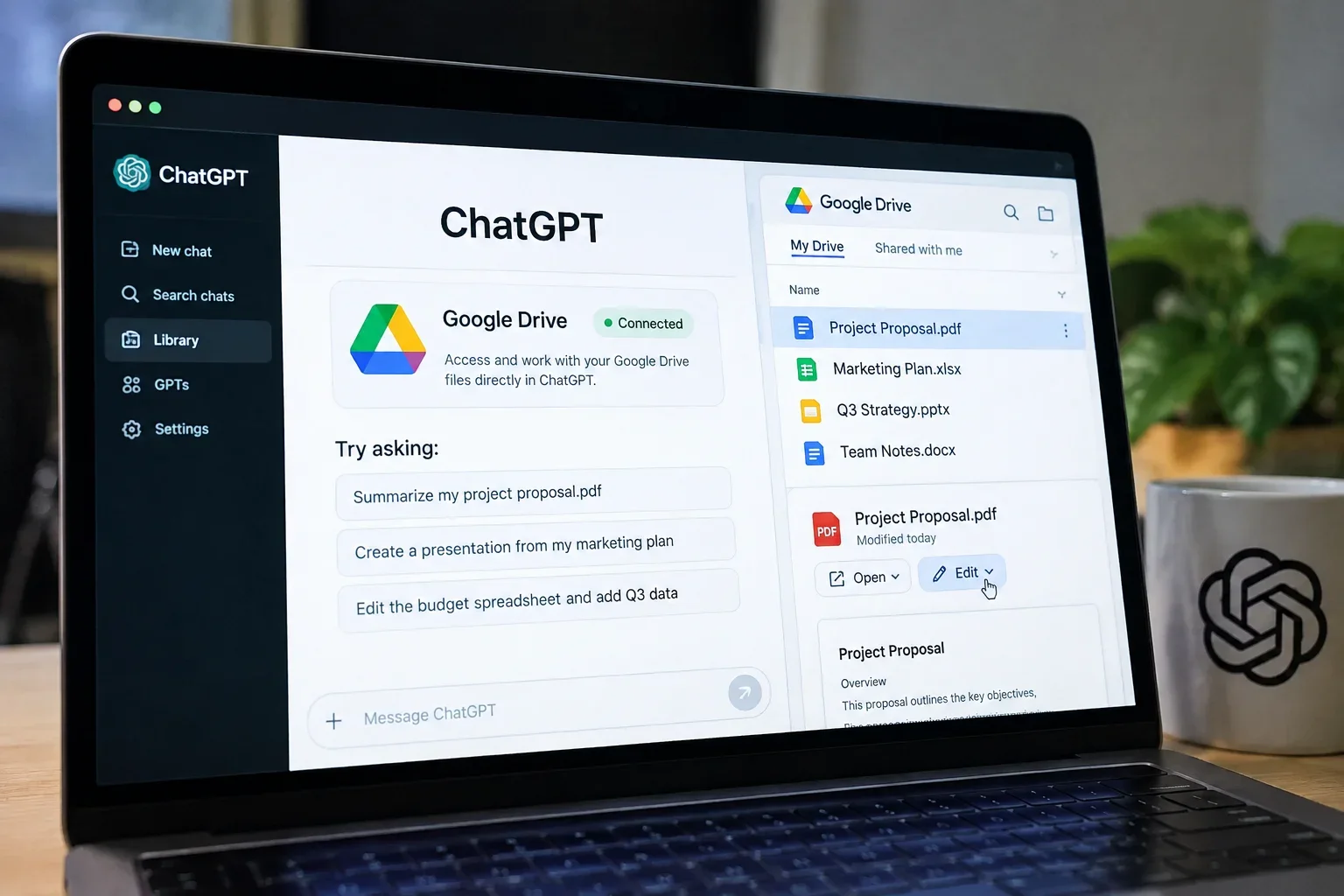
OpenAI has rolled out a major upgrade to its workspace capabilities: users can now browse, open, and edit Google Drive files directly inside ChatGPT. Rather than forcing knowledge workers to endlessly download files, re-upload PDFs, or copy and paste messy text across browser tabs, the new ChatGPT Google Drive integration integrates cloud storage into the chat interface.
With Google Drive now accessible through ChatGPT’s Library, users can pull live documents into conversations and, where supported, apply changes directly to the source file. Here is a comprehensive look at how the update works, who can use it, and what it means for everyday productivity.
What Is New in ChatGPT’s Google Drive Integration?
Previously, interacting with cloud files in ChatGPT was largely a read-only or static experience. You could upload a snapshot of a document, ask the AI to analyze or summarize it, and then manually copy the generated response back into your original document.
With the latest OpenAI Google Drive integration, that friction is eliminated:
- Direct Library Access: Google Drive is now integrated into ChatGPT’s Library, letting users browse personal folders and files shared directly with them.
- No Re-Uploading: Files can be summoned instantly inside any conversation via the composer menu or by typing @Google Drive.
- Direct File Editing: Where supported and authorized, ChatGPT can write updates directly back to the original Google Docs, Sheets, or Slides file without creating disconnected duplicates.
- Side-by-Side Viewing: Users can keep their Google Docs, Sheets, and Slides open alongside the chat window, inspecting edits in real time as ChatGPT works.
How Direct Google Drive File Editing Works
Connecting and editing your cloud documents through ChatGPT requires only a few straightforward steps:
- Connect Your Account: In ChatGPT Settings under Connected Apps/Library, connect your Google Drive account and grant the necessary read/write OAuth permissions.
- Select Files via Composer or Library: When starting a chat, browse your Drive directory or call files directly into the prompt using @Google Drive.
- Issue Natural Language Commands: Ask ChatGPT to update specific sections, rewrite copy, format data, or calculate values.
- Authorize and Sync Changes: For write actions, ChatGPT requests user confirmation before pushing edits to the source document, keeping the original file updated in real time.
Because the connection links directly to the live cloud file, you can hop back into standard Google Workspace tools at any point with all your version histories intact.
What Types of Tasks Can Users Perform?
The integration spans routine administrative tasks as well as multi-document analysis:
1. Document Drafting and Copy Editing
Users can direct ChatGPT to rewrite sections of a Google Doc to match specific brand guidelines, expand on bullet points, fix tone inconsistencies, or draft executive summaries from lengthy reports.
2. Spreadsheet Cleanup and Data Analysis
In Google Sheets, ChatGPT can help format unorganized tables, generate complex formulas, summarize numerical trends, or populate new columns based on unstructured notes.
3. Cross-Document Synthesis
ChatGPT can analyze an entire Drive folder to extract action items, compare contract versions, or combine research notes across multiple Docs, Slides, and PDFs into a single deliverable.
ChatGPT + Google Drive: How It Improves Productivity
The primary value of ChatGPT direct Google Drive file editing is the elimination of context switching. Knowledge workers typically spend substantial time exporting files, formatting conversions, and shuttling text across disparate applications.
By unifying file retrieval, contextual reasoning, and direct editing into a single conversational workspace, teams can draft, edit, and audit documents in minutes. Retaining document formatting—such as tables, headers, and bulleted lists—ensures that AI-assisted drafts are immediately presentation-ready.
Workflow Comparison: Traditional vs. ChatGPT-Integrated Drive
Feature / Step | Traditional Drive Workflow | ChatGPT Integrated Workflow |
File Retrieval | Search Drive, download or copy text | Browse Library or use @Google Drive |
Context Sharing | Manually paste text snippets into chat | Link entire files or folders automatically |
Applying Edits | Copy AI text, reformat, and paste back | Direct updates applied to source file |
Multi-File Synthesis | Open multiple tabs and consolidate manually | Ask AI to cross-reference folder contents |
Interface | Constant tab switching | Side-by-side chat and file view |
Who Can Access the Feature?
OpenAI is rolling out the Google Drive Library integration to paid tiers on the web, including Plus, Pro, Business, Enterprise, and Edu accounts.
- Current Scope: The initial release supports personal My Drive directories and files shared directly with the user.
- Upcoming Support: Full support for organization-wide Shared Drives and mobile app integration (iOS and Android) is scheduled to follow in upcoming releases.
Permissions and Privacy Considerations
Because connecting cloud storage involves sensitive data, OpenAI and Google Workspace enforce strict permission guardrails:
- Granular OAuth Permissions: Users choose whether ChatGPT receives read-only access or full edit permissions.
- Enterprise Controls: Workspace administrators retain full oversight and can enable, restrict, or disable third-party cloud connections across their organization.
- Action Confirmation: Critical write actions require user approval before ChatGPT modifies live documents.
- Data Handling: For enterprise and business tiers, data accessed via connected workspace tools is excluded from training standard public AI models.
What the Update Means for AI-Powered Productivity
This deeper integration highlights a broader shift in generative AI: moving from isolated chatbots toward unified, action-oriented digital coworkers. Instead of treating AI as an external reference tool, embedding direct read-and-write capabilities into existing cloud infrastructure turns ChatGPT into an active collaborator within your daily workflow.
By bridging conversational AI and Google Drive storage, OpenAI removes one of the biggest friction points in modern digital work—allowing professionals to turn raw research into polished, live documents without leaving the chat.