OpenClaw has released v2026.8.1, officially called OpenClaw 2.0, and this is considerably broader than a normal feature update.
The open-source AI project says the release was built by 933 contributors, including 569 first-time contributors, across more than 16,000 pull requests. The result touches almost every major part of the platform, from installation and the browser interface to memory, automation, model providers, plugins, native applications and security.
But the most important change is easier to see when the individual features are put together.
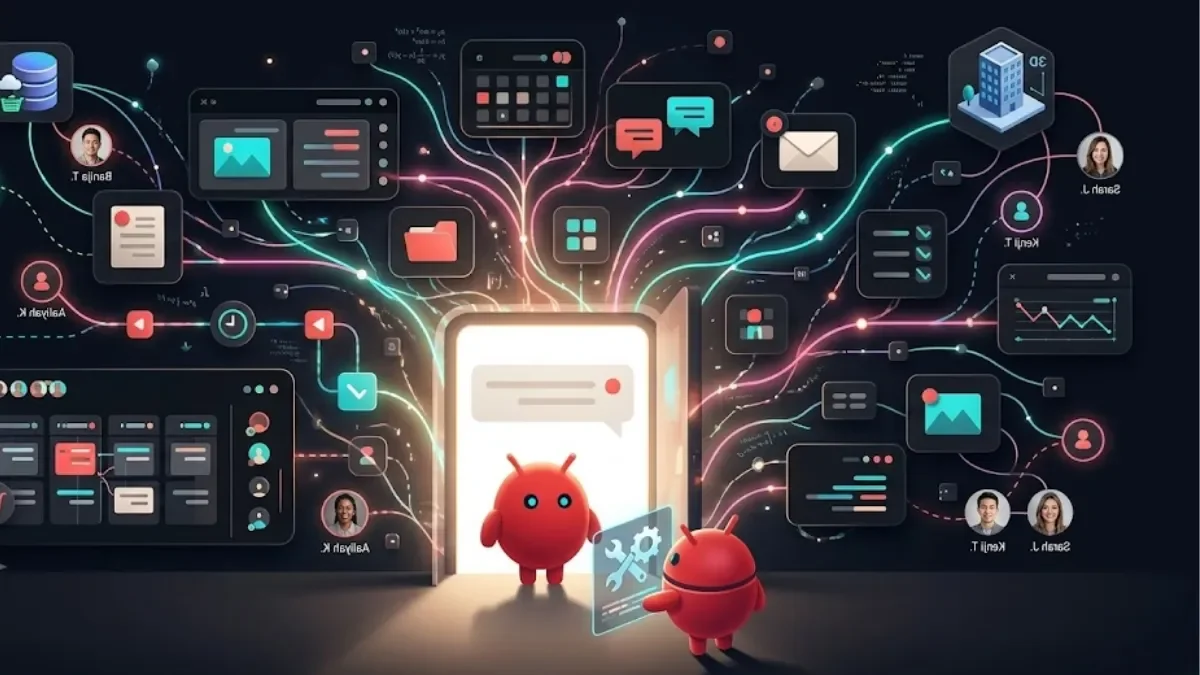
OpenClaw is increasingly being built around the idea of an AI agent that can keep working, remember context, use tools, request permission, run on another machine and continue a task without being tied to a single local computer.
That makes OpenClaw 2.0 less interesting as a list of new buttons and more interesting as a change in how an AI agent can operate.
What is OpenClaw?
OpenClaw is an open-source personal AI assistant built around a Gateway that connects AI models with tools, messaging channels, devices and optional companion applications. The project describes the Gateway as the central control point through which the assistant interacts with the systems around it.
That is an important distinction from a conventional chatbot.
When you use a normal chatbot, the main interaction is generally:
You ask → the model responds.
An agent platform adds another layer:
You ask → the agent reasons about the task → uses permitted tools → performs actions → reports progress → keeps state for later work.
OpenClaw is designed around the second model.
Its capabilities include messaging integrations, tools, skills, model providers, device nodes, automation and browser-based control.
What is OpenClaw 2.0?
OpenClaw 2.0 is the project's name for version 2026.8.1.
Technically, it is a major release rather than a completely separate product. But the breadth of the changes explains why the project is presenting it as “2.0.”
The release combines changes to session management, remote execution, memory, automation, browser controls, onboarding, providers, plugins, native applications and security.
That matters because an AI agent becomes substantially more useful when these systems work together.
For example, persistent memory is useful when an agent can continue a long-running session. Remote execution becomes more useful when the same session can move between machines. Automation becomes more useful when permissions can be controlled rather than simply granting an agent unrestricted access.
OpenClaw 2.0 is therefore best understood as an attempt to make those pieces operate as one system.
The biggest change: an OpenClaw session no longer has to stay on one machine
One of the most significant additions is support for sessions running beyond the Gateway's own machine.
OpenClaw 2.0 can place work on a paired device or a cloud worker. The session remains associated with the Gateway, while the actual commands, file operations and other work can happen on the selected execution machine.
That distinction is important.
The remote machine is not simply becoming a second independent OpenClaw installation. The Gateway continues to own the conversation and important session state, while the execution location can change.
OpenClaw's documentation says model inference remains proxied through the Gateway in these remote placements, so provider credentials do not have to be handed to the remote machine.
Paired devices
A paired device can be hardware the user already owns — such as another computer or server.
The machine can be connected to the Gateway and used as a session host. If it temporarily goes offline, the session can retain its placement and wait for the device to reconnect.
This creates an interesting possibility for developers: the computer running the Gateway does not necessarily have to be the computer doing the heavy work.
Cloud workers
OpenClaw also supports disposable cloud workers through its cloud-worker system.
The documentation describes workers that can be provisioned for a session, used for the task and later released. Durable session state stays with the Gateway rather than depending entirely on the temporary machine.
That is a meaningful change for long-running or isolated workloads.
Instead of keeping a powerful development machine running permanently, an agent can potentially use temporary compute when it needs it.
OpenClaw 2.0 makes long-running work easier to follow
AI agents become difficult to use when they disappear into the background.
OpenClaw 2.0 addresses that with durable progress information that survives reloads and lets users follow subagent activity and accumulating changes through the web and native interfaces.
The Control UI can show a session's progress, assessment, plan and activity while work is underway.
This is more than a visual upgrade.
For an agent performing a multi-step task, the user needs to know whether it is:
working normally;
waiting for input;
asking for permission;
finished;
stuck; or
failed.
Making that state visible is part of turning an agent from an experiment into something closer to a working tool.
The browser is becoming a first-class part of the experience
OpenClaw's browser experience has also been substantially expanded.
The Control UI includes a Browser panel that can display the browser controlled by the Gateway, including tabs, navigation and interaction. Users can view the remote browser inside the regular web interface rather than requiring a separate native webview.
This matters because browser interaction is one of the clearest ways an AI agent moves from generating information to performing actions.
A chatbot can tell you how to complete a website task.
An agent with controlled browser access can potentially perform parts of that task itself.
That distinction is central to the agent model.
Conversation search finally becomes part of the working environment
OpenClaw 2.0 adds search across visible conversation text, allowing users to find matching words or phrases and reopen the surrounding part of a conversation.
It sounds relatively simple compared with cloud workers, but it solves a practical problem.
An agent that accumulates months of conversations needs retrieval mechanisms. Otherwise, “persistent memory” can become a large pile of historical information that is difficult to navigate.
Search gives users a direct way to recover information without expecting the model to remember every previous exchange perfectly.
Memory is becoming more active
Memory is another area where OpenClaw 2.0 moves beyond a simple chat history.
The release adds personal conversation recall for eligible private sessions, background memory consolidation and automatic learning mechanisms that can promote reusable lessons or skills under the project's configured controls.
The important idea is that memory is no longer limited to “show the old messages again.”
The system can maintain information intended to be useful later.
That also creates a responsibility: persistent memory needs boundaries.
OpenClaw's release therefore includes controls around what gets recalled, while groups and channels have different treatment from personal sessions.
For users, the practical question is not simply whether an agent “has memory.”
It is what the agent remembers, where that memory is stored, when it can be retrieved and how it can be controlled.
Automation gets closer to real delegation
OpenClaw already has a scheduler for recurring and one-off jobs. The 2.0 release adds a more explicit permission model for recurring operations.
Users can approve an exact operation for repeated work, inspect or revoke that permission, and require another approval if the operation changes.
That distinction matters.
Imagine an agent that needs to perform the same approved task every morning. Requiring a human to approve every identical action would make automation frustrating.
But granting permanent unrestricted authority would create a different problem.
The new approach attempts to sit between those extremes: approve a defined action, then keep the approval bounded.
OpenClaw's broader automation system supports one-shot tasks, intervals and cron schedules, with job state and history persisted by the Gateway.
Credentials are being treated differently from ordinary chat input
This may be one of the most consequential changes for serious users.
AI agents often need credentials to interact with external services. But asking a user to paste an API key into a conversation creates an obvious security problem: the secret can become part of the conversation or model context.
OpenClaw 2.0 introduces a masked credential-request flow.
The user can enter a protected secret through a dedicated prompt rather than putting the value into ordinary chat. The system can also restrict where the protected secret is allowed to be used.
That does not make agent security automatic.
It does, however, create a more appropriate boundary between instructions to an AI and secrets belonging to the user.
OpenClaw's documentation also emphasizes approval, authentication, pairing and sandboxing as parts of its broader security model.
Plugins make OpenClaw more capable — and increase the trust question
Plugins are central to OpenClaw's extensibility.
They can add providers, integrations and other capabilities. The 2.0 release also changes how official provider packages are installed and managed.
But there is an important caveat.
OpenClaw's own plugin documentation explicitly says plugins are trusted code rather than automatically sandboxed code.
That means users should not treat installing an agent plugin like installing a harmless browser theme.
A plugin may expand what the agent can access or execute. Users should therefore pay attention to where an extension came from, what permissions it needs and what system resources it can reach.
OpenClaw 2.0 also changes model and provider setup
The release expands the provider ecosystem and changes onboarding so that users can configure additional official provider packages as needed. It also introduces migrations for existing OpenAI/Codex model references.
The project supports multiple model providers and local-model setups rather than locking OpenClaw to one AI model.
That is one reason OpenClaw is better thought of as an agent platform around models than as a single AI model itself.
The model supplies intelligence.
OpenClaw supplies the surrounding environment: sessions, tools, permissions, memory, channels, automation and execution.
OpenClaw 2.0 is not simply “ChatGPT with more buttons”
The comparison is tempting, but it can be misleading.
ChatGPT and Claude are primarily AI products that provide conversational interfaces, although both now include increasingly agentic capabilities.
OpenClaw approaches the problem from another direction.
Its architecture is built around a Gateway that connects models to tools, devices, channels and persistent operational state.
A conventional chatbot question might be:
“How do I organize these files?”
An agent-oriented request could become:
“Review this folder, group the files according to these rules, create the new structure and tell me what you changed.”
The second task requires access to the computer, tools, permissions and a mechanism for reporting progress.
That is where OpenClaw's architecture becomes relevant.
It also means the two categories should not be treated as direct substitutes. A user who wants quick answers may prefer a hosted chatbot. Someone who wants a customizable agent connected to their own environment may want something like OpenClaw.
What about coding agents?
OpenClaw overlaps with coding agents but is broader in scope.
A coding assistant is usually optimized around software development: reading repositories, modifying files, running commands and helping with code.
OpenClaw can support coding-related execution, but the surrounding system also includes messaging channels, automations, memory, browser interaction, devices and other tools. Its cloud-session architecture can also place coding work on remote machines.
So the distinction is less:
OpenClaw vs coding agents
and more:
OpenClaw as an environment that can host or coordinate different kinds of agent work.
Is OpenClaw 2.0 safe?
There is no useful one-word answer.
OpenClaw is an agent platform, which means its usefulness depends partly on what you allow it to access.
The project says its regular Gateway installation uses conservative defaults such as loopback binding, pairing for unknown direct-message senders and allowlisted group access. It also provides security auditing and sandboxing options.
But an agent that can read files, use tools, access external services or run commands naturally has a larger security surface than a chatbot that only produces text.
The project's own security documentation describes a one-trust-boundary-per-Gateway model and recommends keeping users within a trusted boundary.
The practical lesson is straightforward:
Do not give an AI agent more access than the task requires.
That includes credentials, filesystem access, external services, plugins and remote machines.
Who should use OpenClaw 2.0?
OpenClaw 2.0 makes the most sense for people who want to experiment with or build persistent AI-agent workflows.
That includes:
developers;
technical founders;
automation specialists;
AI researchers;
freelancers building custom workflows;
startups experimenting with agent infrastructure;
advanced users comfortable managing their own environment.
It could also interest non-developers, particularly as onboarding becomes more guided.
But “easier” does not mean “completely maintenance-free.”
Users still need to understand models, permissions, credentials, integrations and the environment in which the Gateway runs.
Who probably shouldn't install it yet?
If you simply want an AI assistant for writing emails, answering questions, summarizing documents or brainstorming ideas, installing a self-hosted agent platform may be unnecessary complexity.
A hosted AI assistant will often be easier.
OpenClaw becomes more compelling when the goal changes from:
“Give me an answer.”
to:
“Help me operate a workflow.”
That distinction is probably the simplest way to decide whether the project is relevant to you.
What Indian developers and startups should take from OpenClaw 2.0
For India's developer and startup ecosystem, the interesting part is not a specific OpenClaw feature but the direction of agent infrastructure.
A small technical team can potentially connect an agent to internal workflows, messaging, development environments, scheduled jobs and external services without building every component from scratch.
Cloud workers and paired devices also introduce another possibility: separating the machine that controls an agent from the machine that performs a particular job.
That could be useful for teams that want to experiment with agent-based automation while keeping workloads isolated.
But businesses should treat permissions and credentials as infrastructure decisions, not merely AI settings.
OpenClaw 2.0 has some important migration considerations
This is not a completely frictionless upgrade for every existing installation.
The release contains breaking changes.
For example, the bundled OpenProse plugin and /prose command were removed, while OpenAI/Codex model references require migration to the newer openai/* route. The release notes recommend using openclaw doctor --fix and following the relevant migration documentation.
Plugin developers also face SDK migration requirements, including changes scheduled around September 1, 2026.
So existing users should read the migration notes before treating the update like a routine patch.
The public issue tracker also shows that the 2026.8.1 cycle has involved real migration and regression reports. Those reports do not establish that the release is broadly unsafe, but they are another reason for existing deployments to approach a major upgrade carefully.
Why OpenClaw 2.0 matters
The most important thing about OpenClaw 2.0 is not any individual feature.
It is the combination.
An AI model becomes much more agent-like when it can:
remember useful context;
search previous conversations;
access approved tools;
operate a browser;
run work on another machine;
use cloud compute;
execute recurring tasks;
request sensitive credentials through controlled interfaces;
report progress;
retain session state;
and connect to multiple devices and services.
OpenClaw 2.0 brings many of those pieces into one system.
That does not mean every user suddenly has an autonomous digital employee.
The quality of the underlying model still matters. Permissions still matter. Integrations can fail. Agent tasks can require supervision. And the more access an agent receives, the more important security becomes.
But the architecture is moving in a clear direction.
The agent is no longer merely a place where you type instructions.
It is becoming a system that can carry work forward.
The bigger shift is from conversation to continuity
The most useful way to understand OpenClaw 2.0 may be to stop thinking about it as another chatbot.
Its defining challenge is continuity.
A chatbot answers the current prompt.
A useful agent needs to understand what happened before, know what it is allowed to do, perform work somewhere, preserve the result, report progress and potentially continue later.
OpenClaw 2.0 is putting infrastructure around that entire loop.
Whether that makes it a practical daily tool will depend on how reliably those pieces work in real-world deployments. But as an open-source experiment in persistent, tool-using AI agents, version 2.0 is a significant step in scope.
And that is why the release matters beyond the feature list: it offers a glimpse of what happens when an AI assistant is designed not just to talk about work, but to maintain the environment in which work gets done.