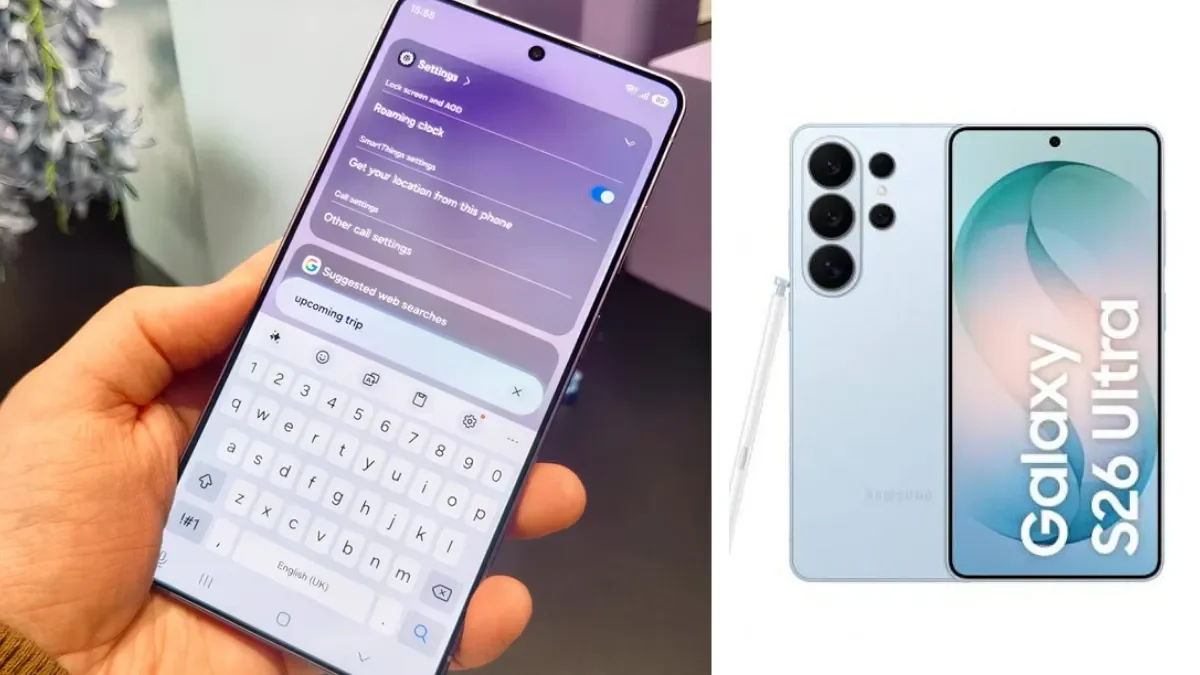
Some Galaxy S26 Ultra owners are reporting tiny dot-like marks and lingering discoloration after receiving Samsung's calibration fix for the phone's earlier red-tint problem. But there is an important caveat: Samsung has not confirmed that the new marks are caused by the update or calibration process.
The Galaxy S26 Ultra's unusual display saga has therefore entered a new phase.
Samsung spent July investigating reports that some units developed a reddish patch across part of the screen after weeks or months of use. The company eventually determined that the original problem was related to software-based colour optimization rather than a failing OLED panel and offered affected customers a calibration solution.
A software fix then began rolling out on August 26, initially in South Korea, with the August security update. The update has since reached other markets, including India.
Now, however, a smaller number of owners are reporting something different: tiny coloured or dot-like marks around parts of the display. Some reports also say reddish areas remain after the correction.
That does not yet establish that Samsung's fix created another defect.
Here is what is known so far.
What happened to the Galaxy S26 Ultra display?
The original problem was unusually specific.
Some Galaxy S26 Ultra owners reported that a reddish or pinkish-looking area developed around the middle of the display. Community reports described a rectangular or broad patch that could become particularly visible on light backgrounds and at high brightness. Some owners said the problem appeared only after the phone had been used for a period of time rather than immediately after purchase.
The issue generated speculation because the Galaxy S26 Ultra introduced Samsung's Privacy Display technology, which uses changes at the display level to limit what people viewing the phone from an angle can see.
At first, the exact cause was not known. Samsung investigated the reports before later telling users that the red-tint problem was software-related rather than a hardware failure.
That distinction matters because it meant Samsung could address the problem through calibration rather than automatically treating affected panels as physically damaged.
How Samsung fixed the original red-tint problem
Samsung initially provided a service-center route for affected customers in South Korea, where technicians could perform the necessary colour adjustment.
The company was also preparing a software solution so that owners would not necessarily need to make a service-center visit.
That software solution started rolling out on August 26 as part of the Galaxy S26 series' August update. Samsung's notification to affected users indicated that the display correction would arrive through software.
The update initially appeared in South Korea before expanding to additional markets. As of August 31, reports indicate that the same August update is available for the Galaxy S26 Ultra in India and other countries.
So, for the original red-tint problem, Samsung's position is considerably clearer than it was in July: the company has identified it as a software/calibration issue and provided a corrective path.
What are Galaxy S26 Ultra owners reporting now?
This is where the story becomes less certain.
Reports emerging after the calibration fix describe small dot-like or coloured marks appearing on parts of the screen. Some accounts place the marks around the upper portion or edges of the display. Other reports say the original red coloration has not disappeared completely.
There are also reports from people who had their phones calibrated at Samsung service centers rather than receiving only the over-the-air update.
That detail is important.
If the same type of mark is reported after both an OTA software correction and an in-person calibration, it becomes harder to immediately conclude that the OTA update itself caused the problem.
At the moment, the available reporting does not provide enough independent cases or technical evidence to establish a cause.
Is Samsung's red-tint fix actually causing the dots?
There is no confirmed answer yet.
The timing naturally raises the question: if the dots appeared after calibration, did the calibration cause them?
But timing alone cannot establish causation.
A software update can change how a display is calibrated, but a visual artifact appearing afterward could also have another explanation. Determining the cause would require Samsung or independent technicians to examine affected devices, reproduce the behavior and establish whether the same calibration process consistently produces the marks.
Current reports do not establish that.
Samsung has not publicly confirmed, in the reporting reviewed for this article, that the new dot-like marks are a consequence of its calibration update.
That means headlines saying the update “caused” the dots go further than the evidence currently allows.
The more accurate description is that some owners are reporting the marks after receiving or undergoing the correction.
What do the new dots look like?
Descriptions vary, but the latest reports generally refer to tiny coloured or dot-shaped marks close to portions of the display edge or upper area.
Some users have also reported persistent reddish coloration around the top or bottom of the panel.
These descriptions should not automatically be translated into technical diagnoses.
There is currently no solid evidence establishing that the dots are:
- dead pixels
- OLED burn-in
- permanent panel damage
- a new hardware defect
- a calibration-induced pixel failure
Those are possibilities that would require proper diagnosis, not conclusions that can be drawn from photographs or forum reports alone.
Does the update fix the original red tint?
For some users, apparently yes.
Reports following the August update indicate that the original reddish appearance has disappeared on at least some affected phones. Other users say discoloration remains or that different visual artifacts are now visible.
That mixed feedback is why it is too early to describe the entire red-tint episode as either completely solved or completely unresolved.
Samsung has released the correction. The remaining question is how consistently it works across affected devices.
Is every Galaxy S26 Ultra affected?
No evidence currently supports that conclusion.
The original red-tint problem was reported on some Galaxy S26 Ultra units, not universally across the model. Samsung's response itself treated the problem as affecting particular devices rather than announcing a blanket defect across the entire product line.
The newer dot reports appear even more limited.
There is no reliable public figure showing what percentage of S26 Ultra owners have experienced them.
That matters because a handful of highly visible reports online can make an isolated problem appear much larger than it actually is.
Until Samsung, repair centers or a larger independent sample provides more evidence, the safest description is limited user reports.
Could the dots be hardware damage?
That has not been established.
The original red-tint issue was explicitly characterized by Samsung as software-related, but that does not automatically explain every visual artifact appearing afterward.
The new marks could eventually turn out to have a software or calibration explanation. They could also require hardware inspection. At present, there is not enough evidence to choose between those explanations.
Owners should therefore avoid self-diagnosing the marks as dead pixels or panel damage.
Why display calibration can change what you see
Display calibration is essentially the process of making the screen produce colours and brightness in the intended way.
An OLED display contains millions of individually controlled pixels, and the system driving those pixels has to translate digital colour information into actual red, green and blue output.
If the calibration or colour-optimization system behaves incorrectly, the same underlying display can appear visually different without the physical panel necessarily being damaged.
That is why Samsung was able to address the original red tint through software and calibration.
But that technical fact should not be stretched into an explanation for the new dots. There is currently no verified technical explanation for those marks.
What Samsung has confirmed — and what it hasn't
The distinction is easiest to understand this way:
| Question | Current evidence |
|---|---|
| Did some S26 Ultra owners report red-tinted displays? | Yes |
| Did Samsung investigate the original issue? | Yes |
| Did Samsung identify the original issue as software-related? | Yes |
| Did Samsung provide calibration through service centers? | Yes |
| Did Samsung roll out an OTA correction? | Yes |
| Is the August update available beyond South Korea? | Yes, including India |
| Have some users reported dots/coloured marks afterward? | Yes |
| Has Samsung confirmed the dots are caused by the update? | No confirmation found |
| Are the dots confirmed to be dead pixels? | No |
| Is the new issue confirmed to affect all S26 Ultra units? | No |
| Has Samsung announced a recall? | No evidence found |
What should Galaxy S26 Ultra owners do?
If your phone has the original red-tint problem, the first step is to make sure you are running the latest software available for your region.
Samsung's August update is now rolling out more broadly, including India. Owners can check through:
Settings → Software update → Download and install
The August firmware reported for the S26 Ultra in India is S948BXXS4AZHL.
If your phone develops a new visual artifact after updating, do not assume immediately that the update damaged the screen.
Instead:
- Photograph the display under controlled lighting.
- Check whether the mark is visible on different colours, such as white, grey and black.
- Note the phone's software version.
- Record when you first noticed the change.
- If possible, capture a photo or video showing the problem.
- Contact Samsung support or an authorized service center if the issue persists.
Samsung's existing support guidance also recommends checking display settings and software when users experience abnormal colour behavior.
A service-center inspection is particularly useful if the marks remain visible across different screens and applications.
Should you install the August update?
For most owners, there is no evidence from the reports reviewed here that the update should be avoided.
It is a normal Samsung security update, and the S26 series update includes numerous security fixes in addition to the display-related correction. Samsung began the rollout in South Korea and has since expanded it to other markets.
The new dot reports are not enough, by themselves, to establish that installing the update creates a display defect.
If your S26 Ultra already has the red-tint problem, the update is particularly relevant because it contains Samsung's intended software correction.
A bigger question around the S26 Ultra's Privacy Display
The S26 Ultra's Privacy Display is part of what makes this particular situation unusual.
Samsung introduced the technology as a major display feature, and the red-tint complaints naturally led users to question whether the new display architecture was involved. Early reporting included speculation about whether the feature could contribute to the discoloration. Samsung, however, ultimately attributed the original issue to software calibration rather than a hardware failure.
The new dot reports are likely to renew that discussion.
But suspicion is not proof.
Until Samsung provides a technical explanation for the latest reports, it would be premature to conclude that Privacy Display itself is responsible.
The Galaxy S26 Ultra display saga, so far
The sequence is more complicated than “Samsung fixed one problem and created another.”
First, some owners reported an unusual red patch.
Then Samsung investigated and determined that the original problem was software-related.
Samsung offered service-center calibration while preparing a broader software fix.
The August update subsequently delivered that correction through an OTA rollout.
Now, a smaller group of users says they are seeing dots or other visual artifacts after calibration, while some also report that reddish areas remain.
The final step — determining whether those new symptoms are connected to Samsung's correction — has not happened yet.
What this means for Galaxy S26 Ultra owners
If you own an S26 Ultra and your screen looks normal, there is currently no evidence that you should assume your phone is developing the reported problem.
If you had the red-tint issue, the August update is Samsung's official software route for addressing it.
And if you see dots afterward, document them rather than immediately assuming that your OLED panel has been damaged.
The most important point is that the new reports are real reports, but the explanation is not yet established.
Samsung has already demonstrated that software can affect the way the S26 Ultra display behaves. The company now has another reason to examine whether the latest visual artifacts represent an extension of the original calibration problem, an unrelated display behavior, or something that requires a different remedy.
Until that happens, the Galaxy S26 Ultra's display story remains unfinished — but it would be inaccurate to call the latest reports a confirmed new Samsung defect.