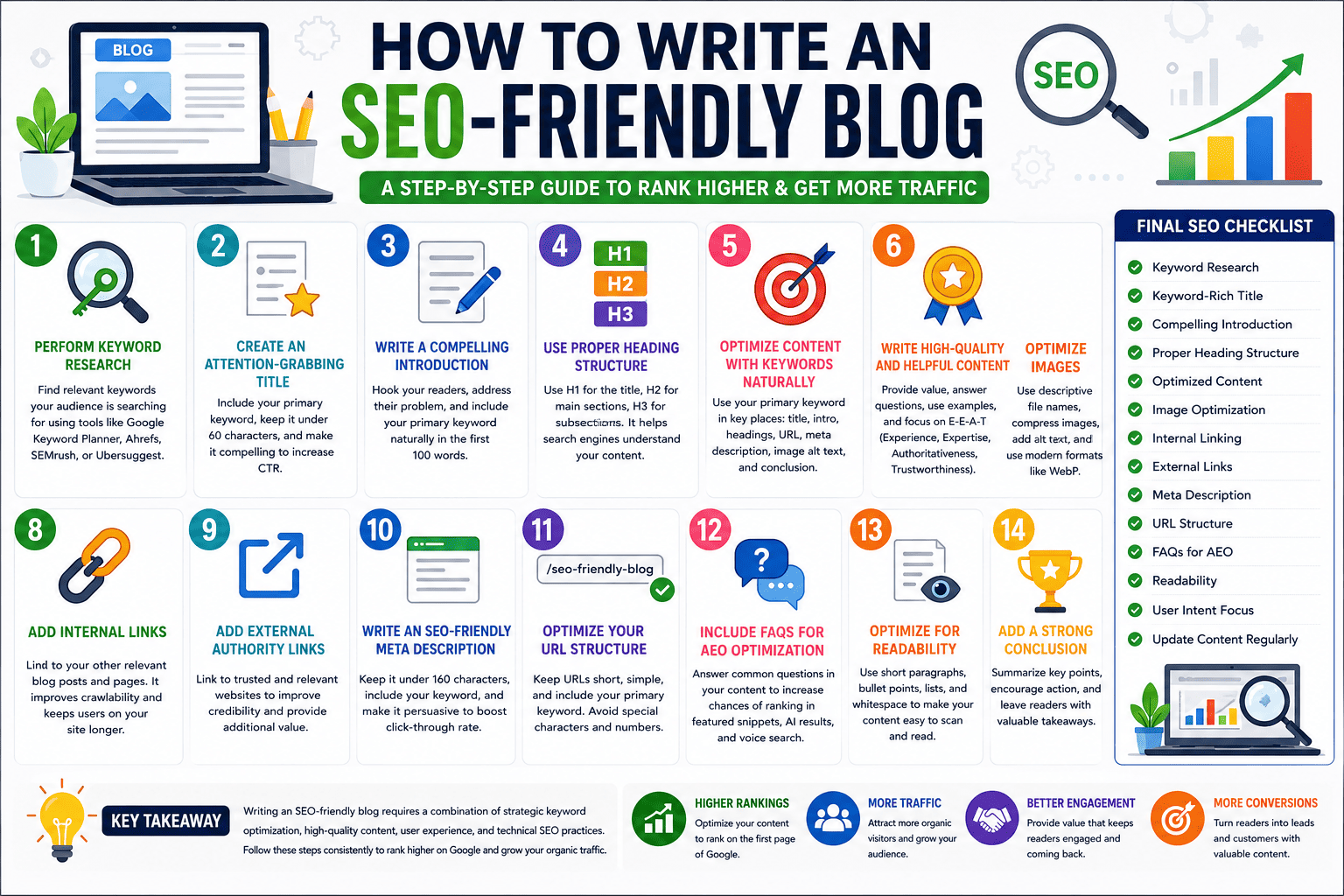
Introduction
Creating a blog is easy, but creating a blog that ranks on Google and attracts consistent organic traffic requires a strategic approach. Search Engine Optimization (SEO) helps search engines understand your content, while Answer Engine Optimization (AEO) helps your content appear in featured snippets, AI search results, and voice search responses.
In this guide, you'll learn how to write an SEO-friendly blog that ranks higher, engages readers, and drives long-term traffic.
What is an SEO-Friendly Blog?
An SEO-friendly blog is content that is optimized for search engines and users. It follows best practices such as keyword optimization, proper headings, internal linking, quality content, and technical SEO elements.
The primary goals are:
Improve search engine rankings
Increase organic traffic
Enhance user experience
Generate leads and conversions
Build website authority
Step 1: Perform Keyword Research
Before writing any blog, identify the keywords your audience is searching for.
Types of Keywords
Primary Keyword
The main keyword you want to rank for.
Example:
How to Write an SEO-Friendly Blog
Secondary Keywords
Related terms supporting the main keyword.
Examples:
SEO blog writing
Blog SEO tips
SEO content writing
How to optimize a blog post
Long-Tail Keywords
More specific search phrases with lower competition.
Examples:
How to write an SEO-friendly blog for beginners
SEO blog writing tips for 2026
Recommended Tools
Google Keyword Planner
Google Search Suggestions
Ahrefs
SEMrush
Ubersuggest
Google Trends
Step 2: Create an Attention-Grabbing Title
Your title is the first thing users see in search results.
Good SEO Title Examples
How to Write an SEO-Friendly Blog in 10 Simple Steps
Ultimate Guide to SEO Blog Writing for Beginners
SEO-Friendly Blog Writing: Tips That Actually Work
Best Practices
Include your primary keyword
Keep it under 60 characters
Use numbers when possible
Create curiosity or value
Step 3: Write a Compelling Introduction
The introduction should:
Explain the topic
Address the reader's problem
Include the primary keyword naturally
Example:
"If you're wondering how to write an SEO-friendly blog that ranks on Google, you're in the right place. In this guide, we'll cover proven SEO techniques that help increase visibility, traffic, and engagement."
Step 4: Use Proper Heading Structure
Search engines use headings to understand content.
Heading Hierarchy
H1: Main Title
H2: Main Sections
H3: Subsections
H4: Additional Details
Example:
H1: How to Write an SEO-Friendly Blog
H2: Keyword Research
H2: Blog Structure
H2: On-Page SEO
H3: Meta Title
H3: Meta Description
Step 5: Optimize Content with Keywords Naturally
Avoid keyword stuffing.
Bad Example
"SEO-friendly blog writing is important because SEO-friendly blog writing helps create SEO-friendly blogs."
Good Example
"Writing optimized content helps search engines understand your blog and improves visibility in search results."
Ideal Keyword Placement
Title
First 100 words
Headings
URL
Meta description
Image alt text
Conclusion
Step 6: Write High-Quality and Helpful Content
Google prioritizes content that satisfies user intent.
Your Content Should
Answer user questions
Provide actionable advice
Be easy to read
Include examples
Stay updated
Focus on E-E-A-T
Google values:
Experience
Expertise
Authoritativeness
Trustworthiness
Share real examples, statistics, and practical insights whenever possible.
Step 7: Optimize Images
Images improve user engagement and SEO.
Best Practices
Use descriptive file names
Compress images
Add alt text
Use modern formats like WebP
Example:
Image Name:
seo-friendly-blog-writing-guide.webp
Alt Text:
How to write an SEO-friendly blog step-by-step
Step 8: Add Internal Links
Internal links help search engines discover pages and improve user navigation.
Example:
If you have related articles such as:
On-Page SEO Guide
Backlink Building Strategies
Technical SEO Checklist
Link them naturally within your content.
Benefits
Better crawlability
Increased page views
Improved rankings
Step 9: Add External Authority Links
Linking to trusted resources improves content credibility.
Examples:
Google Search Central
Industry studies
Government websites
Research publications
Use external links only when relevant.
Step 10: Write an SEO-Friendly Meta Description
Meta descriptions influence click-through rates.
Example
"Learn how to write an SEO-friendly blog with proven techniques for keyword optimization, content structure, and higher Google rankings."
Best Practices
150–160 characters
Include primary keyword
Encourage clicks
Step 11: Optimize Your URL Structure
Bad URL
example.com/post?id=12345
Good URL
example.com/how-to-write-seo-friendly-blog
Guidelines
Keep URLs short
Use keywords
Avoid special characters
Step 12: Include FAQs for AEO Optimization
Answer Engine Optimization helps your content appear in:
Google Featured Snippets
AI Search Results
Voice Search
FAQ Example
What is an SEO-friendly blog?
An SEO-friendly blog is content optimized for search engines through keyword usage, proper structure, quality content, and technical SEO practices.
How many keywords should I use?
Focus on one primary keyword and several related secondary keywords naturally throughout the content.
How long should an SEO blog be?
Most ranking articles range between 1,000 and 2,500 words depending on competition and topic depth.
Step 13: Optimize for Readability
Readers prefer content that is easy to scan.
Tips
Use short paragraphs
Include bullet points
Add numbered lists
Use whitespace effectively
Highlight important points
Step 14: Add a Strong Conclusion
Summarize the main points and encourage action.
Example
Writing an SEO-friendly blog requires more than adding keywords. By focusing on keyword research, quality content, user experience, internal linking, image optimization, and AEO strategies, you can create content that ranks higher and delivers real value to readers.
Start applying these SEO techniques today and watch your organic traffic grow over time.
Final SEO Checklist
✔ Perform keyword research
✔ Use a keyword-rich title
✔ Write a compelling introduction
✔ Structure content with headings
✔ Optimize images
✔ Add internal links
✔ Use external authority links
✔ Write a meta description
✔ Optimize URL structure
✔ Include FAQs
✔ Improve readability
✔ Focus on user intent
✔ Update content regularly
By following this checklist, you'll significantly improve your chances of ranking on Google and appearing in AI-powered search results.