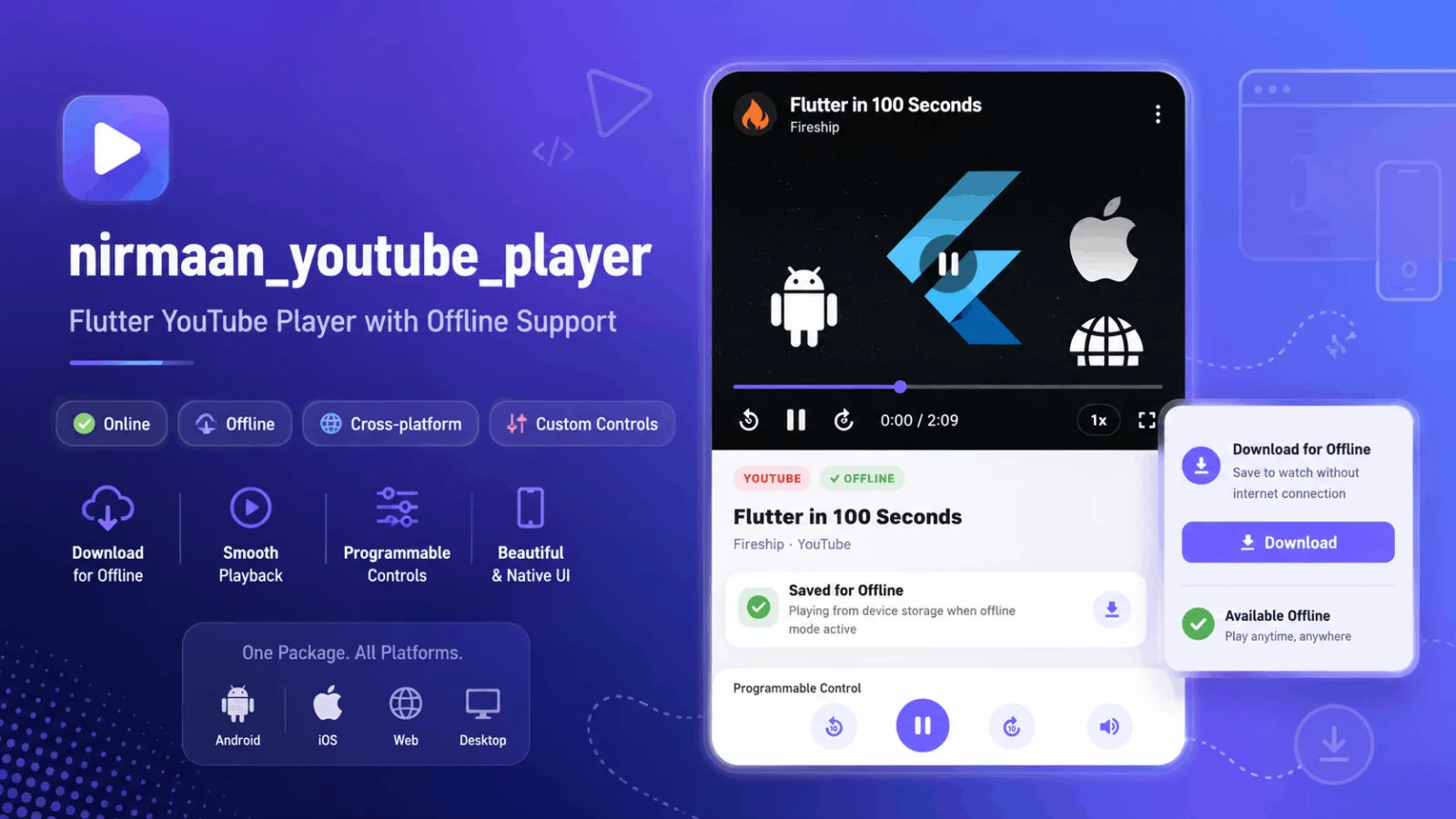
Adding a YouTube video to a Flutter application sounds easy.
You install a package, paste a YouTube URL, press play, and move on with your life.
At least, that is what I thought.
While recently working on a Flutter project, I needed more than a basic embedded YouTube window. I wanted a player that could work across platforms, provide proper playback controls, support a customised interface, and handle authorised offline videos without forcing me to build five different solutions for five different operating systems.
After searching through pub.dev, I came across a newly published package called Nirmaan YouTube Player.
It had very few likes and downloads because it had only recently arrived on the platform. However, after looking at what it offered, my first reaction was:
Why is nobody talking about this package yet?
What Is Nirmaan YouTube Player?
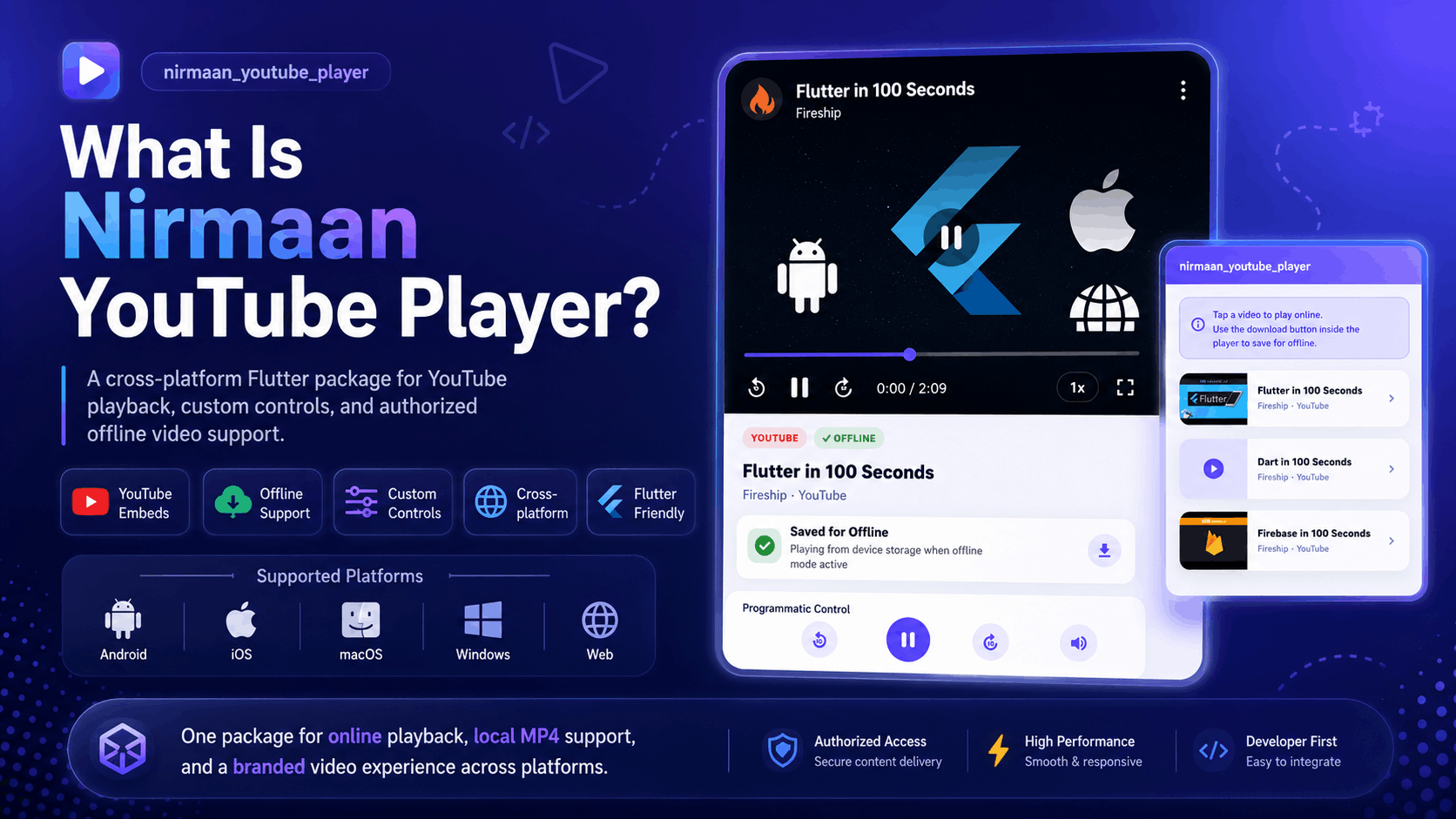
nirmaan_youtube_player is a cross-platform Flutter package designed for playing YouTube embeds and locally stored videos through a consistent player interface.
It supports:
Android
iOS
macOS
Windows
Web
Instead of creating separate player logic for mobile, desktop, and browser environments, developers can use one main API and allow the package to select the correct player implementation for the current platform.
That is especially useful for Flutter developers building:
Online learning applications
Course platforms
Training applications
Internal company learning tools
Video-based subscription products
Lecture applications
Media dashboards
Desktop and mobile education software
Most YouTube player packages solve only the “play this URL” part.
Nirmaan YouTube Player attempts to solve the bigger problem: How do I create a complete, branded video experience across multiple Flutter platforms?
Why This Package Stood Out to Me
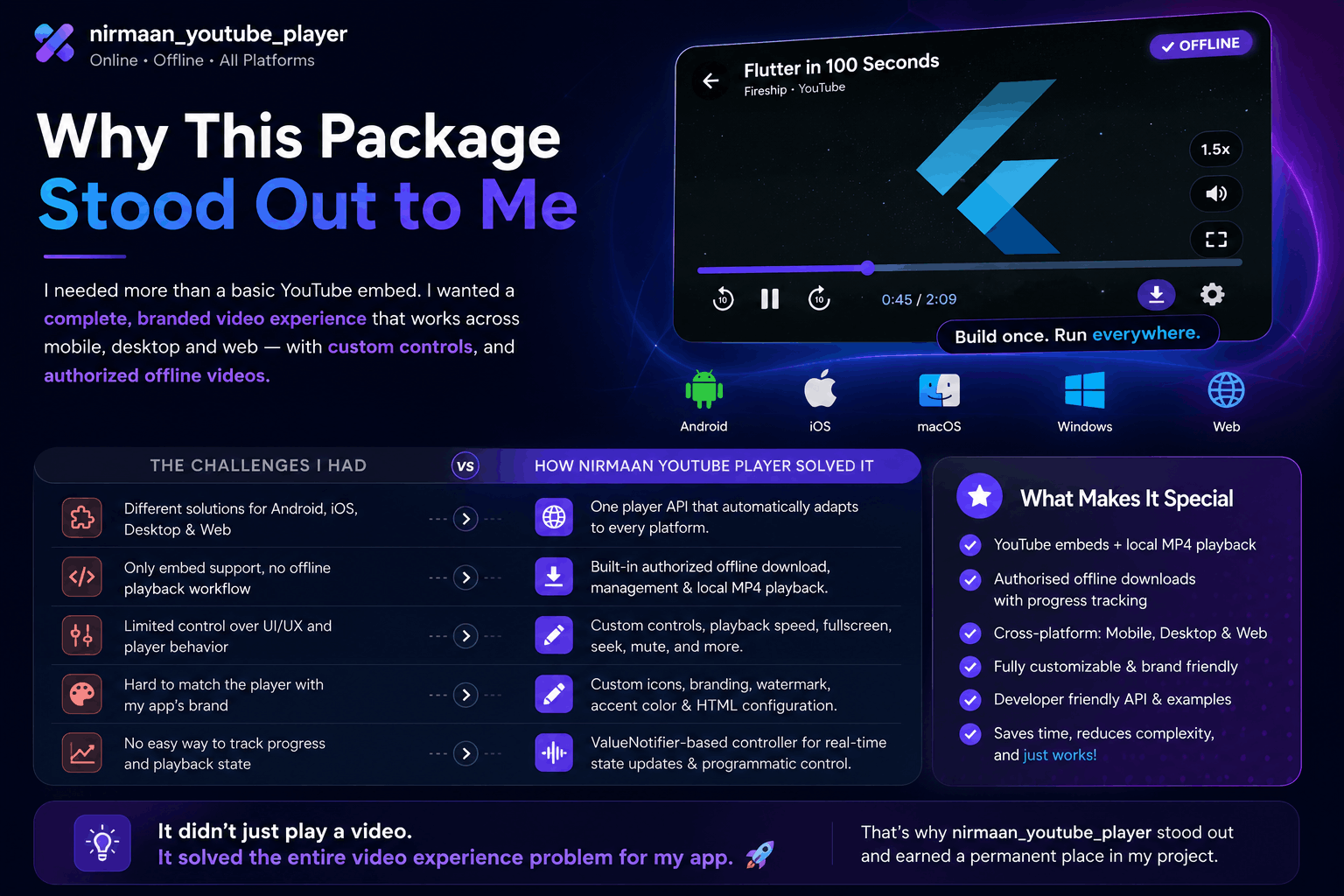
My requirement was not unusual, but finding one clean package for it was surprisingly difficult.
Some Flutter video packages work well on Android and iOS but have limited desktop support. Others support YouTube playback but do not provide an offline-video workflow. Some give you a player but very little control over its appearance.
Nirmaan YouTube Player brings several of these requirements together.
It provides:
YouTube IFrame playback
Local MP4 playback
Custom HTML-based controls
Offline download management
Playback progress tracking
Fullscreen support
Playback-speed controls
Custom branding options
A controller based on Flutter’s
ValueNotifier
In developer language, it saves time.
In normal human language, it prevents you from spending three evenings arguing with WebViews while your laptop fan begins preparing for take-off.
One Player API Across Multiple Platforms
One of the strongest features of Nirmaan YouTube Player is its cross-platform approach.
You can use the same player builder in your Flutter code:
buildPlatformYoutubePlayer(
  url: 'https://www.youtube.com/watch?v=YOUR_VIDEO_ID',
  controller: _controller,
  autoPlay: false,
)
The package then builds the appropriate player for the platform on which the application is running.
Online YouTube playback is supported on Android, iOS, macOS, Windows, and web.
Local MP4 playback and offline download management are supported on Android, iOS, macOS, and Windows. Browser-based applications can use online playback, but offline file management is not currently supported on the web.
That distinction is important. “Cross-platform” sometimes secretly means “Android works, iOS probably works, and Windows has been left to destiny.”
Here, the supported capabilities are clearly documented.
It Supports Different YouTube URL Formats
You do not always receive a clean YouTube watch URL.
Sometimes you get a shortened link. Sometimes it is an embed URL. Sometimes someone sends a YouTube Shorts link and expects your app to understand it through emotional intelligence.
Nirmaan YouTube Player supports common formats such as:
https://www.youtube.com/watch?v=VIDEO_ID
https://youtu.be/VIDEO_ID
https://www.youtube.com/embed/VIDEO_ID
https://www.youtube.com/shorts/VIDEO_ID
The package also exposes a utility for extracting the YouTube video ID from supported links.
This makes it useful when YouTube URLs are coming from an API, admin panel, CMS, database, or user input.
Installation Is Straightforward
Add the package to your pubspec.yaml file:
dependencies:
  nirmaan_youtube_player: ^1.0.2
Then run:
flutter pub get
Import it into your Dart file:
import 'package:nirmaan_youtube_player/nirmaan_youtube_player.dart';
Before starting the application, initialise the package once:
Future<void> main() async {
  WidgetsFlutterBinding.ensureInitialized();

  await NirmaanYoutubePlayer.initialize();

  runApp(const MyApp());
}
The initialisation prepares the package’s local storage and offline download service.
Skipping this step may lead to problems when using download or locally stored video features, so it should be treated as part of the main setup rather than an optional decoration.
A Basic Flutter YouTube Player Example
Here is a simple example of displaying a YouTube video:
class LessonPlayer extends StatefulWidget {
  const LessonPlayer({super.key});

  @override
  State<LessonPlayer> createState() => _LessonPlayerState();
}

class _LessonPlayerState extends State<LessonPlayer> {
  final NirmaanYoutubeController _controller =
      NirmaanYoutubeController();

  @override
  void dispose() {
    _controller.dispose();
    super.dispose();
  }

  @override
  Widget build(BuildContext context) {
    return AspectRatio(
      aspectRatio: 16 / 9,
      child: buildPlatformYoutubePlayer(
        url: 'https://www.youtube.com/watch?v=YOUR_VIDEO_ID',
        controller: _controller,
        autoPlay: false,
      ),
    );
  }
}
The AspectRatio keeps the video in the familiar 16:9 format.
The controller should also be disposed of when the widget is removed. Your application may survive without disposing it during a quick test, but production applications should not collect unused controllers like browser tabs.
Proper Playback Controls
The package provides a dedicated NirmaanYoutubeController.
Using this controller, your application can perform actions such as:
await controller.play();
await controller.pause();
await controller.togglePlayPause();

await controller.mute();
await controller.unMute();
await controller.toggleMute();

await controller.seekTo(
  const Duration(seconds: 90),
);

await controller.seekForward10();
await controller.seekBackward10();

await controller.setPlaybackRate(1.5);
This gives developers enough control to build their own playback interface outside the player.
For example, an education app could provide:
A custom play button
Ten-second forward and backward buttons
Lecture progress tracking
Playback speeds such as 1x, 1.25x, 1.5x, and 2x
A “continue watching” feature
Automatic lesson completion
Custom fullscreen behaviour
Instead of accepting whichever controls the default player gives you, you can connect playback actions to your own application UI.
Listening to Video State Without Extra State Management
The controller exposes player information through a ValueNotifier.
That means you can react to playback changes using Flutter’s built-in ValueListenableBuilder:
ValueListenableBuilder<NirmaanYoutubeValue>(
  valueListenable: controller,
  builder: (context, value, child) {
    final status =
        value.isPlaying ✨ 'Playing' : 'Paused';

    return Text(
      '$status • ${value.position.inSeconds}s',
    );
  },
)
This is a thoughtful design choice.
Although the package uses other dependencies internally, your host application does not need to adopt a particular state-management solution just to read the player state.
You can use it with:
Provider
Riverpod
Bloc
GetX
Redux
MobX
Plain
setStateYour mysterious custom state manager that only one developer in the company understands
The player controller remains usable without forcing a full architectural decision on the rest of your application.
Authorised Offline Video Playback
The offline workflow is probably the feature that makes this package most interesting.
The package includes a download service that can:
Start a video download
Report download progress
Cancel an active download
Check whether a lecture has been downloaded
Retrieve its local path
List downloaded videos
Delete a saved video
Store offline-video metadata
A simplified download example looks like this:
final service =
    NirmaanYoutubePlayer.downloadService;

final localPath =
    await service.downloadYoutubeVideo(
  youtubeUrl:
      'https://www.youtube.com/watch?v=YOUR_VIDEO_ID',
  lectureId: 'lesson-42',
  lectureIdInt: 42,
  courseId: 7,
  title: 'Introduction',
  courseTitle: 'Flutter Foundations',
  thumbnailUrl:
      'https://example.com/thumbnail.jpg',
  duration: '15:30',
  onProgress: (progress) {
    debugPrint(
      'Download: ${(progress * 100).toStringAsFixed(0)}%',
    );
  },
);
When the download finishes, the service returns the local MP4 path.
You can then pass that path back to the player:
buildPlatformYoutubePlayer(
  url:
      'https://www.youtube.com/watch?v=YOUR_VIDEO_ID',
  controller: _controller,
  autoPlay: true,
  localVideoPath: localPath,
)
When localVideoPath is available, the package can use the locally stored file instead of the online YouTube source.
This creates an effective flow for a learning app:
Play the lecture online.
Allow the user to save an authorised copy.
Store its metadata locally.
Detect the downloaded lecture later.
Play the local file when available.
Avoid unnecessary internet usage.
Important Legal and Ethical Limitation
The offline feature should not be treated as a universal YouTube downloader.
The package documentation clearly states that developers should only play or download content they own or are explicitly authorised to use.
Using a technical tool does not automatically grant permission to download, redistribute, or bypass restrictions on third-party videos.
The safest use cases include:
Videos owned by your company
Course videos owned by your platform
Internal training material
Videos for which the creator has provided download permission
Properly licensed educational content
Private or controlled video libraries
So yes, the package can manage authorised offline content.
No, that does not mean your app should suddenly become “Free YouTube Premium, but with a Flutter logo.”
Managing Downloaded Videos
The download service also provides useful methods for managing saved content:
final service =
    NirmaanYoutubePlayer.downloadService;

final downloaded =
    service.hasDownloadedSync('lesson-42');

final savedPath =
    await service.getLocalPath('lesson-42');

service.cancelDownload('lesson-42');

await service.deleteDownload('lesson-42');

final downloads =
    await service.getAllDownloads();
This makes it easier to build a complete downloads screen showing:
Saved lecture title
Course name
Thumbnail
Duration
Download state
Available storage actions
Delete button
Offline-play button
The files are stored in the application’s documents directory. The exact path depends on the operating system and should be treated as app-managed storage.
Custom Icons and Player Appearance
A video player should not look like it was borrowed from a completely different application.
Nirmaan YouTube Player allows developers to replace selected offline-player icons using inline SVG code or image URLs.
For example:
offlineIcons: NirmaanPlayerIcons(
  play: NirmaanPlayerIcon.svg(
    '<svg viewBox="0 0 24 24">...</svg>',
  ),
  pause: NirmaanPlayerIcon.svg(
    '<svg viewBox="0 0 24 24">...</svg>',
  ),
  fullscreen: NirmaanPlayerIcon.image(
    'https://example.com/fullscreen.png',
  ),
)
This lets the player match your application’s visual identity instead of looking like an unexpected guest.
Advanced Branding and HTML Configuration
Developers who need more control can generate customised player HTML using NirmaanYoutubeHtmlConfig.
The configuration supports options such as:
Brand text
Course title
Watermark visibility
Custom watermark text
Accent colour
Border radius
Autoplay preference
Fullscreen behaviour
Bridge type
Example:
final html = buildNirmaanYoutubeHtml(
  NirmaanYoutubeHtmlConfig(
    videoId: 'YOUR_VIDEO_ID',
    autoPlay: false,
    sourceName: 'my-app',
    brandText: 'My Academy',
    courseTitle: 'Flutter Foundations',
    showWatermark: true,
    watermarkText: 'INTERNAL USE',
    accentColor: '#FF6B6B',
    borderRadius: 12,
  ),
);
This is useful for organisations that want the video player to feel like part of their product rather than a generic external embed.
An EdTech platform, for example, could show the academy name, course title, custom colour, and an internal-use watermark directly in the player experience.
Platform Setup You Should Know About
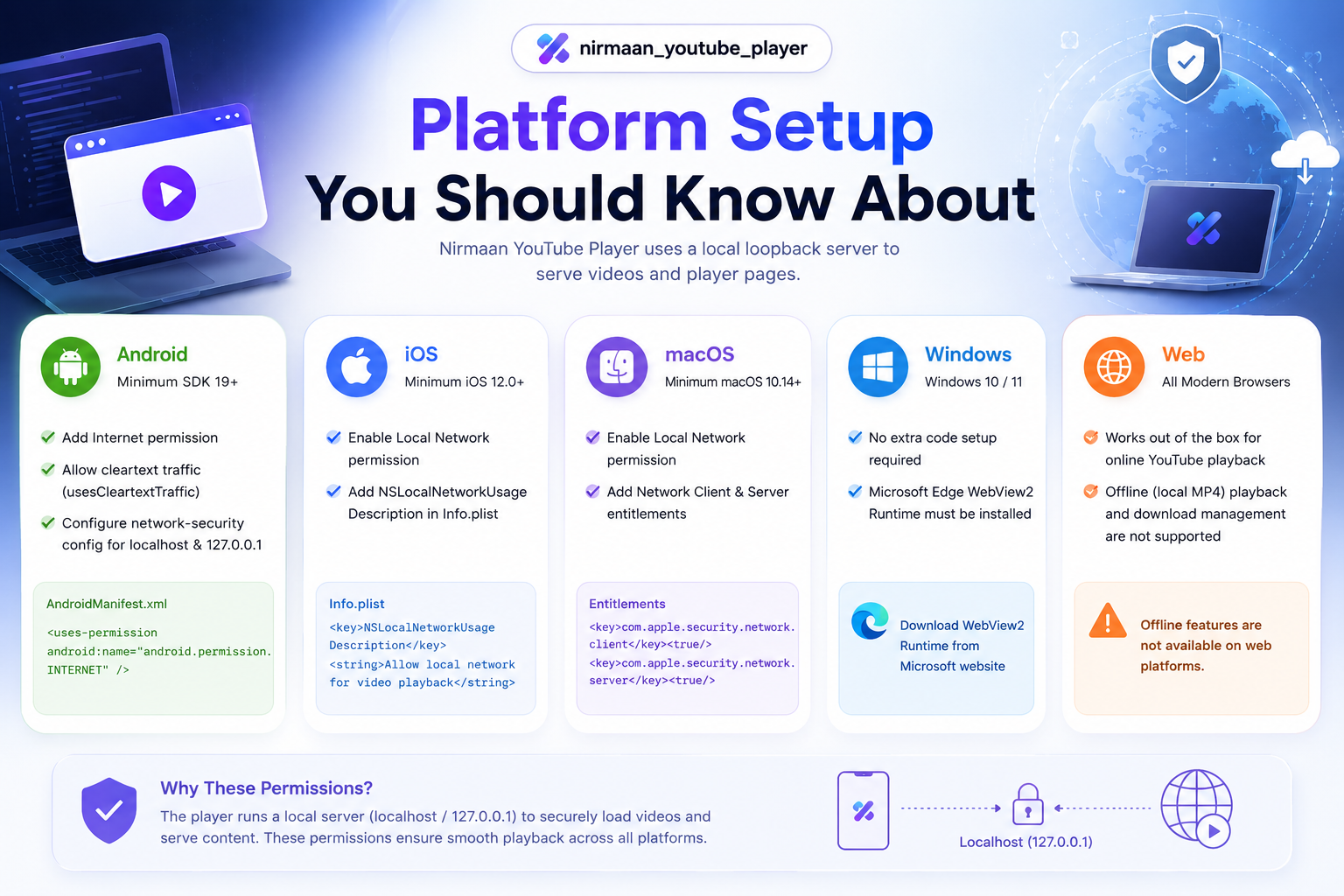
The package uses a local loopback HTTP server on native platforms to serve player pages and local MP4 content.
Because of that, some platforms need one-time configuration.
Android
Android requires internet permission and permission for local-server traffic.
The application should also use a minimum Android SDK version of 19 or higher.
Relevant configuration includes:
<uses-permission
    android:name="android.permission.INTERNET"/>
The application may also need usesCleartextTraffic and a network-security configuration that permits 127.0.0.1 and localhost.
iOS
iOS requires local networking permission inside Info.plist.
The documented minimum deployment target is iOS 12.0.
macOS
macOS requires local-network permissions and both client and server networking entitlements.
The documented minimum deployment target is macOS 10.14.
Windows
Windows does not require additional application code configuration, but the device must have the Microsoft Edge WebView2 Runtime installed.
Web
Online YouTube playback works without extra setup.
However, browser builds do not currently support local MP4 playback or the package’s offline download-management workflow.
Common Problems and Their Fixes
The Player Is Blank on Android
Check that the following are present:
Internet permission
usesCleartextTrafficNetwork-security configuration
Localhost and
127.0.0.1permissions
Then run:
flutter clean
flutter pub get
flutter run
The Player Is Blank on iOS or macOS
Confirm that local networking has been allowed in Info.plist.
For macOS, also verify that network client and server entitlements are enabled.
Windows Shows a WebView2 Error
Install or update Microsoft Edge WebView2 Runtime and restart the application.
An Offline Video Does Not Play
Check whether the local file still exists:
final path = await NirmaanYoutubePlayer
    .downloadService
    .getLocalPath('lesson-42');

debugPrint(path ✨✨ 'File is not available');
A saved database entry does not help if the actual file has been deleted by the user, operating system, or application cleanup logic.
What Makes Nirmaan YouTube Player Different?
The biggest advantage is not one isolated feature.
It is the combination of features.
A developer gets:
Cross-platform YouTube playback
Desktop support
Mobile support
Browser support for online videos
Local MP4 playback on native platforms
Authorised offline downloading
Download metadata
Custom playback controls
Playback-state listeners
Custom icons
Player branding
Watermark support
Fullscreen handling
One primary controller API
You may be able to recreate the same system by combining multiple Flutter packages, custom WebViews, platform-specific code, storage logic, download handling, and many cups of coffee.
This package packages much of that work into one solution.
Is It Production Ready?
The package already has detailed documentation, a complete example application, a public API reference, platform-setup instructions, troubleshooting guidance, and a BSD 3-Clause licence.
Those are positive signs.
However, developers should also remember that it is a very new package.
Before using it in a large production application, test:
Long videos
Slow internet connections
Interrupted downloads
Low device storage
App restarts during downloads
Fullscreen transitions
Background and foreground behaviour
Multiple simultaneous videos
Different Android manufacturers
iOS and macOS permission behaviour
Windows devices without WebView2
Videos with regional or embedding restrictions
New does not automatically mean unreliable.
It simply means you should test your specific use case instead of assuming thousands of other developers have already found every possible edge case for you.
Who Should Try This Flutter Package?
Nirmaan YouTube Player is worth exploring when your application needs more than a simple embedded video.
It is especially relevant for:
Flutter EdTech developers
Course-platform creators
Learning management systems
Coaching applications
Internal training software
Lecture and tutorial applications
Flutter desktop developers
Applications needing branded video controls
Projects requiring authorised offline lessons
Developers targeting mobile and desktop together
For a basic screen containing one public YouTube video, a smaller player package may be enough.
For a complete video-learning experience, Nirmaan YouTube Player becomes far more interesting.
Frequently Asked Questions
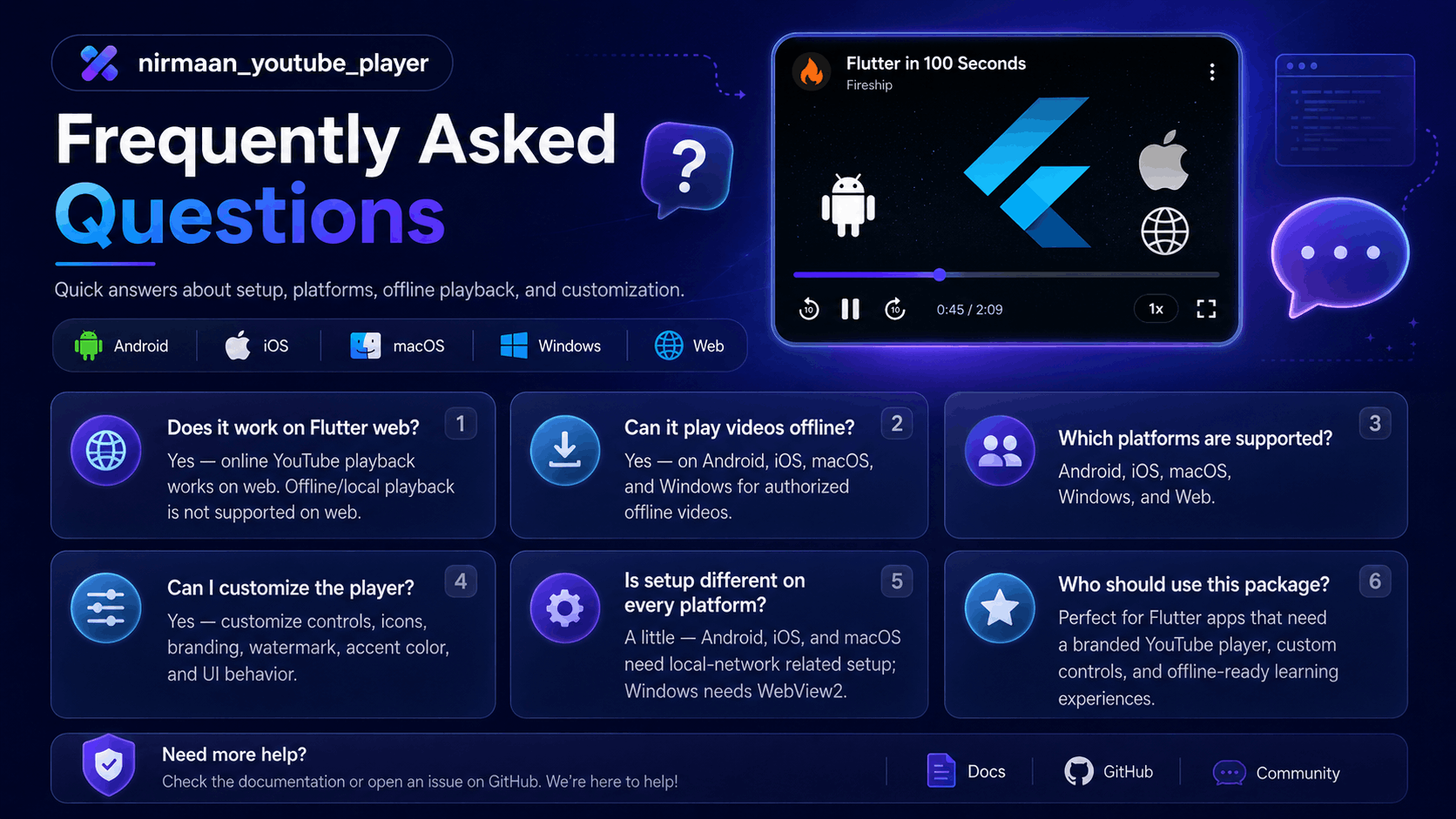
Does Nirmaan YouTube Player work on Flutter web?
Yes. It supports online YouTube playback and controller commands on the web. Local video playback and offline download management are not supported in browser builds.
Can it play downloaded videos offline?
Yes, on Android, iOS, macOS, and Windows. The downloaded content must be owned by you or explicitly authorised for downloading and offline playback.
Does it support Windows and macOS?
Yes. Both desktop platforms support YouTube playback, local MP4 playback, offline-download management, fullscreen, and controller commands.
Can I customise the player?
Yes. You can customise selected offline-player icons and use the advanced HTML configuration for branding, watermark text, accent colour, border radius, course title, and other appearance options.
Does my Flutter app need GetX?
No. The host application can interact with the controller through ValueNotifier and ValueListenableBuilder. You are not required to use GetX as your app’s state-management solution.
Does it support YouTube Shorts links?
Yes. The supported URL formats include standard watch URLs, shortened youtu.be links, embed links, and YouTube Shorts URLs.
Can I track download progress?
Yes. The download method provides an onProgress callback that can be used to show a progress bar or percentage inside your Flutter UI.
Is Nirmaan YouTube Player free?
The package is available under the BSD 3-Clause licence. Developers should still review the licence and follow YouTube’s rules and the rights associated with the content they use.
Final Verdict
nirmaan_youtube_player is one of those Flutter packages that can easily be overlooked because it is new and has not yet collected hundreds of likes.
But package popularity and package usefulness are not the same thing.
For my requirement, it stood out because it did not stop at embedding a YouTube video. It approached the player as a complete product feature with controls, cross-platform handling, customisation, state tracking, and authorised offline playback.
It is still early, and it deserves proper testing before being placed at the centre of a major production application.
But it is also exactly the kind of package the Flutter community should notice, test, report issues for, and help improve.
Sometimes the package with the most likes is the safest answer.
And sometimes the package with almost no likes is the one that finally solves the exact problem you have been fighting for two days.
For Flutter developers building video-heavy, educational, or cross-platform applications, Nirmaan YouTube Player is highly underrated and absolutely worth exploring.
Suggested SEO title: Nirmaan YouTube Player: An Underrated Cross-Platform Flutter Video Package
Meta description: Discover Nirmaan YouTube Player, a new cross-platform Flutter package offering YouTube playback, custom controls, branding, fullscreen support, and authorised offline videos across Android, iOS, Windows, macOS, and web.
Primary keyword: Nirmaan YouTube Player
Related keywords: Flutter YouTube player, Flutter video player package, YouTube player for Flutter, Flutter offline video player, Flutter YouTube embed, cross-platform Flutter video player, Flutter EdTech video package, YouTube player Flutter web, Flutter desktop YouTube player