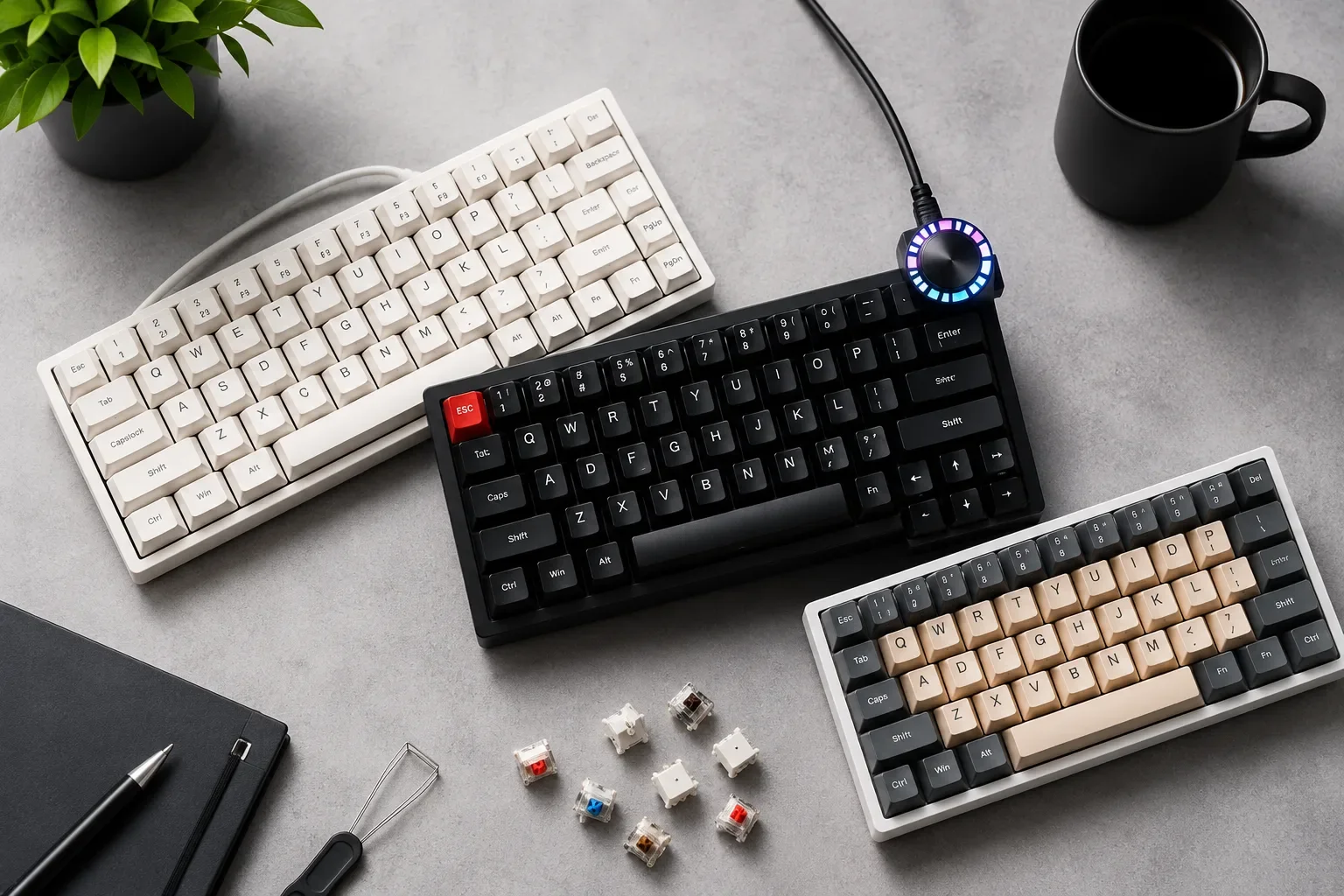
Mechanical keyboards haven't just survived into 2026 — they've become the default choice for anyone who spends serious time typing or gaming. While membrane and laptop-style keyboards have improved over the years, they still can't match what a good mechanical board offers: a distinct, satisfying typing feel, switches that are individually replaceable rather than glued shut, and the ability to fine-tune everything from actuation force to keycap material.
A few trends have kept mechanical keyboards firmly in the spotlight this year:
- Hot-swappable sockets now come standard on a huge range of boards, letting you change switches without soldering.
- Hall-effect (magnetic) switches have moved from niche gaming boards into mainstream releases, offering adjustable actuation points and Rapid Trigger features once limited to high-end esports keyboards.
- Wireless latency has essentially caught up to wired, with tri-mode connectivity (2.4GHz, Bluetooth, USB-C) now common even on budget boards.
- Gasket-mounted cases and better stabilizers, once exclusive to $300+ custom builds, have trickled down to $50-$100 keyboards.
- Software ecosystems like QMK/VIA have made remapping keys and building macros accessible to non-programmers.
Whether you're chasing the fastest possible response time for competitive gaming, a quieter board for a shared office, or a satisfying "thock" for long coding sessions, there's a genuinely good mechanical keyboard for you in 2026. Below is a breakdown of the best options across categories and budgets, followed by a full buying guide.
Quick Comparison Table
| Category | Price Range | Layout | Switch Type | Connectivity | Wireless | Best For |
|---|---|---|---|---|---|---|
| Best Overall | ~$200 | 100% (Q5 Max) | Mechanical, hot-swap | USB-C | No | All-around use |
| Best Gaming | $150–$220 | TKL / 80% | Hall-effect / optical | USB-C, wireless (varies) | Some models | Competitive gaming |
| Best Budget | $30–$50 | Full-size / 60% | Mechanical (clone switches) | USB-C wired | No | First-time buyers |
| Best Wireless | ~$230 | TKL | Low-profile tactile | 2.4GHz / Bluetooth / USB-C | Yes | Desk + laptop switching |
| Best for Office | $40–$70 | Full-size | Clicky or tactile | Wired USB | No | Shared workspaces |
| Best for Programmers | $170–$200 | 75% / 100% | Hot-swap tactile/linear | USB-C, Bluetooth | Yes (varies) | Long coding sessions |
| Best Compact/TKL | $150–$200 | TKL | Optical/mechanical | USB-C | No | Desk space savers |
| Best Customizable | $175–$200 | Q-series (60–100%) | Hot-swap, QMK/VIA | USB-C | No | Hobbyists/tinkerers |
| Best Premium | $250+ | 75–100% | Hall-effect/optical | USB-C, wireless | Yes | Enthusiasts wanting it all |
Prices fluctuate — always check current listings before buying.
Best Overall Mechanical Keyboard: Keychron Q5 Max
The Keychron Q5 Max is widely regarded as one of the best all-round mechanical keyboards available in 2026, combining a heavyweight aluminum case, gasket mount, and genuinely refined out-of-the-box typing feel.
Key specs:
- Full-size (100%) layout
- Hot-swappable switch sockets
- Gasket-mounted case for a softer, more cushioned keystroke
- QMK/VIA software support for full remapping
- Wired USB-C connection
Why it stands out: The gasket mount and aluminum construction give it a premium feel that's rare at this price point, and the hot-swap sockets mean you're not locked into one switch type. It's equally comfortable for typing, light gaming, and daily office use.
Drawbacks: It's wired only, and the full-size layout takes up more desk space than compact alternatives.
Ideal user: Anyone who wants one keyboard that handles everything well without compromise.
Best Gaming Mechanical Keyboard: Wooting 80HE / Corsair K70 PRO TKL
Gaming keyboards in 2026 are increasingly built around Hall-effect (magnetic) switches, which allow for adjustable actuation points and Rapid Trigger — a feature that resets the keypress the instant you start releasing, rather than waiting for a fixed travel distance.
Key specs:
- TKL or 80% layout for reduced mouse-to-keyboard distance
- Hall-effect magnetic switches with adjustable actuation
- Rapid Trigger support
- 8,000Hz polling rate on top-tier models
- Wired USB-C connection
Why it stands out: Adjustable actuation lets competitive players fine-tune sensitivity per key, which can meaningfully affect performance in fast-paced titles. The Corsair K70 PRO TKL pairs this with excellent build quality and a familiar layout for gamers upgrading from a standard mechanical board.
Drawbacks: These boards prioritize performance over typing comfort, and Hall-effect switches aren't available in as many keycap/switch styles as traditional mechanical options.
Ideal user: Competitive and esports-focused gamers who want the fastest possible response time.
Best Budget Mechanical Keyboard: Redragon K552 / Keychron C2 Pro
You no longer need to spend $150+ to get a real mechanical typing experience. The Redragon K552 and Keychron C2 Pro consistently rank among the best budget picks in 2026.
Key specs:
- Full-size or TKL layout
- Genuine mechanical switches (often Outemu or Gateron on budget models)
- Double-shot PBT keycaps on higher-tier budget picks
- Wired USB connection
- Basic RGB backlighting
Why it stands out: At the $30–$55 price range, these boards deliver a legitimate mechanical feel, decent build quality, and (on some models) hot-swap sockets — features that used to be reserved for pricier keyboards.
Drawbacks: Stabilizers and keycaps are noticeably lower quality than mid-range and premium boards, and software support is minimal or absent.
Ideal user: First-time mechanical keyboard buyers or anyone on a tight budget who still wants a real typing upgrade over membrane keyboards.
Best Wireless Mechanical Keyboard: Logitech G915 X LIGHTSPEED TKL
The Logitech G915 X LIGHTSPEED TKL remains the benchmark for premium wireless mechanical keyboards in 2026, thanks to sub-1ms latency and a slim, low-profile design.
Key specs:
- TKL layout
- Low-profile GL tactile or clicky switches
- LIGHTSPEED wireless (2.4GHz), Bluetooth, and USB-C
- Rated for 50–100+ hours of battery life with RGB enabled, longer with it off
- Logitech G Hub software support
Why it stands out: Wireless latency concerns that used to steer gamers toward wired boards are largely resolved — this keyboard performs close to wired-level responsiveness while offering the flexibility to switch between a PC, laptop, and tablet.
Drawbacks: It's expensive relative to wired alternatives, and the low-profile switches feel noticeably different from standard mechanical switches, which may not suit everyone.
Ideal user: Anyone who wants desk flexibility and multi-device switching without sacrificing gaming-grade responsiveness.
Best Mechanical Keyboard for Office Use: Logitech K845 or Similar Full-Size Boards
For shared offices or quieter environments, comfort and noise level often matter more than raw performance. Full-size boards with tactile or quieter switch options tend to be the best fit.
Key specs:
- Full-size (104-key) layout with a numpad
- Tactile or clicky switches (quieter tactile options recommended for open offices)
- Wired USB connection
- Adjustable typing angle
- Rated for tens of millions of keystrokes
Why it stands out: A durable, comfortable full-size layout with a numpad is genuinely useful for spreadsheet-heavy or data entry work, and a sturdy aluminum top plate holds up well to years of daily use.
Drawbacks: Clicky switches can be disruptive in open-plan offices — if noise is a concern, look for tactile or specifically labeled "silent" switch variants instead.
Ideal user: Office workers who want durability and comfort over gaming-oriented features.
Best Mechanical Keyboard for Programmers: Keychron Q-Series (75%/100%)
Programmers tend to prioritize a different mix of features: full remapping capability, comfortable long-session typing, and a layout that keeps arrow keys and brackets easily accessible.
Key specs:
- 75% or full-size layout with dedicated arrow keys
- Hot-swappable tactile or linear switches
- QMK/VIA support for custom layers and macros
- Gasket-mounted case for reduced finger fatigue
- Wired USB-C, with some models offering Bluetooth
Why it stands out: The ability to remap keys, build custom layers for symbols or shortcuts, and swap switches without soldering makes these boards genuinely useful tools for developers, not just a typing surface. A gasket mount also helps reduce fatigue during long sessions.
Drawbacks: Setting up custom layers and macros involves a learning curve if you're new to QMK/VIA.
Ideal user: Developers and heavy typists who want a highly customizable, comfortable daily driver.
Best Compact/TKL Mechanical Keyboard: Razer Huntsman V3 Pro TKL
For users who want more desk space for mouse movement, tenkeyless (TKL) boards remove the numpad while keeping the rest of the layout intact. The Razer Huntsman V3 Pro TKL is a strong pick built specifically around competitive gaming needs.
Key specs:
- TKL layout
- Analog optical switches with adjustable actuation
- Wired USB-C connection
- Per-key RGB backlighting
- Razer Synapse software support
Why it stands out: Optical switches register keypresses via light rather than physical contact, reducing input latency, while adjustable actuation gives players fine control over sensitivity — a genuine advantage in fast-paced games.
Drawbacks: It's a gaming-first board, so typing feel is secondary to performance, and it's on the pricier end for a TKL layout.
Ideal user: Esports and competitive gamers who want a smaller footprint without sacrificing performance features.
Best Customizable Mechanical Keyboard: Keychron Q-Series
If tinkering is part of the appeal, the Keychron Q-series (Q5 Max, Q6 Ultra, and similar models) remains one of the most accessible entry points into the custom keyboard hobby.
Key specs:
- Multiple layout options (60% through full-size)
- Hot-swappable sockets compatible with most 3-pin and 5-pin switches
- Gasket mount for tunable sound and feel
- QMK/VIA open-source software support
- CNC-machined aluminum case options
Why it stands out: Features that once required $500 custom builds — aluminum cases, gasket mounts, full programmability — are now available out of the box, and switches, keycaps, and even plates can be swapped as your preferences evolve.
Drawbacks: The customization options can be overwhelming for newcomers who just want a keyboard that works well immediately.
Ideal user: Hobbyists who enjoy fine-tuning their setup and don't mind experimenting with switches and keycaps.
Best Premium Mechanical Keyboard: ASUS ROG Azoth Extreme / Keychron Q6 Ultra 8K
At the top end, keyboards like the ASUS ROG Azoth Extreme and Keychron Q6 Ultra 8K combine enthusiast-grade materials with modern performance features.
Key specs:
- Full-size, CNC-machined aluminum case
- Hot-swappable sockets with premium factory-lubed switches
- OLED display for quick settings access (on select models)
- 8,000Hz polling rate
- Wired and, on some models, wireless connectivity
Why it stands out: These boards deliver the heft, sound tuning, and build quality of a custom hobbyist build without requiring any assembly, alongside performance features aimed at gamers who don't want to compromise on typing feel.
Drawbacks: The price puts these firmly in enthusiast territory, and the added weight and features aren't necessary for casual users.
Ideal user: Enthusiasts who want a finished, premium keyboard without building one from parts.
Understanding Switch Types: Red vs Brown vs Blue
Switch choice has the single biggest impact on how a keyboard feels and sounds. The three most common switch colors act as a useful shorthand across most brands:
Red Switches (Linear)
- Smooth keystroke with no tactile bump
- Light actuation force, generally quiet
- Preferred for gaming due to fast, consistent actuation
- Can feel less precise for touch-typists who rely on tactile feedback
Brown Switches (Tactile)
- A small bump partway through the keystroke signals actuation
- Moderate noise level — quieter than clicky switches
- A popular middle-ground choice for typing and light gaming
- Good default choice if you're unsure what you prefer
Blue Switches (Clicky)
- Distinct tactile bump paired with an audible click
- Loud — often not office-appropriate
- Popular with typists who enjoy strong feedback
- Best suited for home offices or private workspaces
Other Switch Options Worth Knowing
- Linear switches (not just Red) prioritize smooth, consistent keystrokes — common in gaming-focused boards.
- Tactile switches (like Brown) offer a physical bump without a click, balancing feedback and noise.
- Silent switches use internal dampeners to reduce both the bottom-out sound and spring noise, ideal for shared spaces or video calls.
- Hall-effect (magnetic) switches use a magnet and sensor instead of physical contacts, enabling adjustable actuation points and Rapid Trigger — increasingly common in 2026's gaming keyboards.
There's no universally "best" switch — it comes down to whether you prioritize speed, feedback, or quiet operation.
How to Choose the Right Mechanical Keyboard
1. Decide on Switch Type First
If you're unsure, tactile (Brown) switches are a safe starting point. Gamers leaning competitive should look at linear or Hall-effect switches; anyone sharing a space should consider silent switches.
2. Pick a Size That Matches Your Desk and Workflow
- Full-size (100%) — includes a numpad, best for data entry and spreadsheet work
- TKL (80%) — removes the numpad, frees up desk space for mouse movement
- 75% — compact but keeps function row and arrow keys, popular with programmers
- 65%/60% — smallest footprints, best for minimalists and portability
3. Consider Hot-Swappable Sockets
Hot-swap sockets let you change switches without any soldering, which is worth prioritizing if you think your switch preferences might change over time.
4. Wired vs Wireless
Wired connections still offer the most consistent latency, but 2026's better wireless keyboards close that gap significantly. If you switch between multiple devices regularly, tri-mode wireless is worth the investment.
5. Keycap Material
PBT keycaps resist shine and wear better than ABS over years of use, and they tend to have a slightly more textured feel. ABS keycaps are cheaper and often glossier.
6. Latency and Polling Rate
For competitive gaming, look for polling rates of 1,000Hz or higher (some premium boards now reach 8,000Hz), along with low input latency specs where available.
7. Ergonomics
Consider keyboard height, whether it includes a wrist rest, and adjustable tilt/feet, especially if you type for long stretches daily.
8. Budget
You don't need to spend $200 to get a legitimately good mechanical keyboard in 2026 — the $40–$50 range now delivers hot-swap sockets and PBT keycaps that used to be mid-range features.
Frequently Asked Questions
1. What is the best mechanical keyboard overall in 2026?
The Keychron Q5 Max is widely considered the best all-around pick thanks to its build quality, hot-swap sockets, and full programmability.
2. Are Hall-effect switches worth it for gaming?
For competitive gamers, yes — adjustable actuation and Rapid Trigger can offer a meaningful edge in fast-paced games. For casual gaming or typing, standard mechanical switches are perfectly capable.
3. What's the difference between Red, Brown, and Blue switches?
Red switches are linear and quiet, Brown switches add a tactile bump without a loud click, and Blue switches add both a tactile bump and an audible click.
4. Is wireless as good as wired for gaming in 2026?
Modern gaming-grade wireless keyboards operate at sub-1ms latency, which is now close enough to wired performance for most players, including many competitive users.
5. Do I need hot-swappable switches?
Not strictly, but they're valuable if you're unsure which switch type you prefer or want to experiment down the line without soldering.
6. What's the best switch type for a shared office?
Silent linear or silent tactile switches are the best option for minimizing noise around coworkers.
Also Read: Best Apple Watch Alternatives Under Rs 5,000: Top Budget Smartwatches in 2026
Final Thoughts
There's no single "best" mechanical keyboard in 2026 — the right choice depends on how you'll use it. Gamers chasing the fastest response times should look toward Hall-effect or optical switch boards, programmers and heavy typists will benefit most from customizable, hot-swappable options, and anyone buying their first mechanical keyboard can now get a genuinely good experience for well under $100. Whatever your priority — feel, sound, speed, or budget — 2026's mechanical keyboard market has more solid options at every price point than ever before.