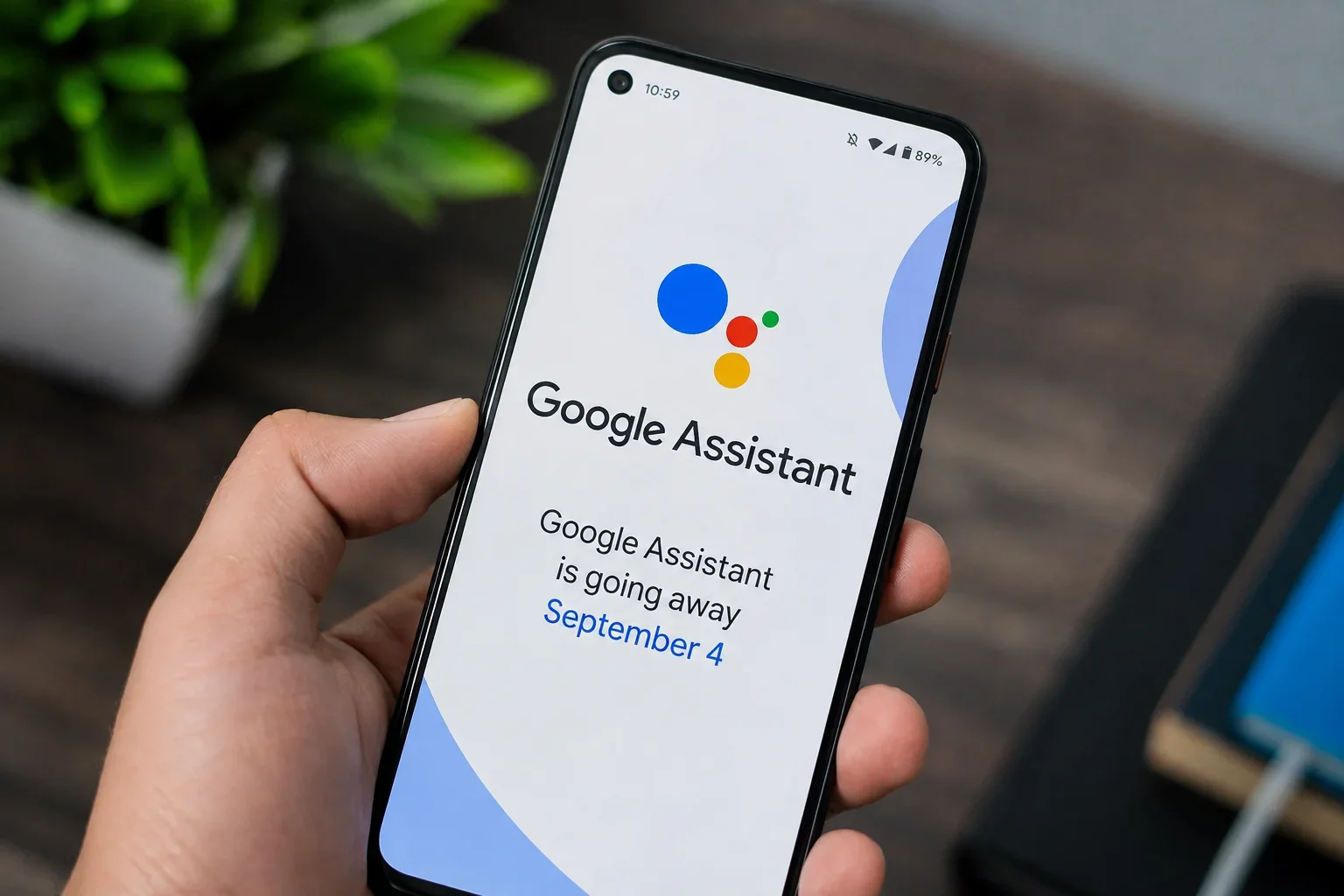
For more than a decade, Google Assistant has been the voice behind billions of Android devices — setting timers, reading texts, controlling smart lights, and answering quick questions with a simple "Hey Google." That era is now coming to a close. Google has confirmed that it will begin removing Google Assistant from mobile devices starting September 4, 2026, handing the reins to Google Gemini as the default AI assistant on Android.
This isn't a minor software update. It's the end of one of the most widely used voice assistants in the world, and the beginning of a new AI-driven era for the hundreds of millions of Android phones, tablets, watches, and cars that rely on it every day. If you use Google Assistant regularly, here's everything you need to know before the switch happens.
What Google Assistant Has Meant to Android Users
Since its debut in 2016, Google Assistant became a core part of the Android experience. It handled voice searches, smart home commands, navigation prompts, reminders, and translations through its well-known Interpreter Mode. It powered Wear OS smartwatches, Android Auto in millions of vehicles, and countless third-party smart speakers and headphones. For many users, it was the fastest way to get a quick answer or control a connected device without touching a screen.
But Assistant was built for a different technological moment — one centered on fixed voice commands and rule-based responses rather than genuine understanding of context or nuance.
Why Google Is Retiring Google Assistant
Google's stated reason is straightforward: Gemini represents a fundamentally more capable AI model, and the company wants a single, unified assistant experience across its ecosystem rather than maintaining two separate systems. In the email Google has been sending to affected users, the company said Google Assistant "is being discontinued" and that Gemini "is now the assistant experience on Android."
Gemini was originally expected to fully replace Assistant by the end of 2025, but Google delayed the rollout into 2026 after early testing showed Gemini underperformed Assistant at simple, direct tasks like device controls — even though it was already ahead on conversational and knowledge-based requests. That extra development time appears to have gone into closing those gaps before the September cutoff.
How Gemini Is Different From Google Assistant
Where Assistant relied largely on predefined commands and structured responses, Gemini is built on large language model technology, meaning it can hold multi-turn, context-aware conversations, understand follow-up questions without needing to repeat context, and reason across different types of information — text, images, and app data — in a single exchange.
Rollout Timeline and Eligible Devices
Google will begin removing access to Google Assistant on September 4, 2026, and the company says the process will take a few weeks to reach all users. Once Assistant is removed from a device, there is no option to switch back.
The change affects:
- Android phones and tablets
- Wear OS smartwatches (including the Pixel Watch line)
- Gemini-compatible headphones and earbuds
- Android Auto, when projected from a paired phone
Notably, cars with Google built-in (Android Automotive, used natively by automakers like GM) are exempt for now and will keep Google Assistant beyond September 4. Smart speakers, smart displays, Google TV devices, and other home hardware are also outside this particular rollout — Google has not announced a firm timeline for migrating those separately.
Gemini will become the default on any device that meets the minimum system requirements and is located in a region where Gemini is supported. Google says Gemini is currently available in more than 230 countries and supports over 70 languages.
Do You Need to Manually Switch?
For most users, no action is required — the transition to Gemini will happen automatically as Google rolls it out. However, if you'd rather move over before the September 4 deadline, you can do so manually:
- Download the Gemini app from the Google Play Store (many devices already have it installed).
- Open your device's Settings app.
- Go to Apps.
- Select Assistant.
- Choose Digital assistants from Google, then select Gemini.
- Follow the on-screen setup instructions.
New AI-Powered Capabilities in Gemini
Gemini brings a set of features that go well beyond what Assistant was designed to do:
- Contextual conversations — Gemini can remember details from earlier in a conversation and handle natural follow-up questions.
- Deep app integration — Gemini can work directly with apps like Gmail, Calendar, Docs, and Maps to complete multi-step tasks.
- Content summarization — it can condense long emails, articles, or documents into short summaries.
- Image understanding — Gemini can analyze photos and screenshots and answer questions about what's in them.
- Productivity features — drafting messages, planning schedules, and generating content on request.
That said, some Assistant-only features — including Interpreter Mode and certain automated daily smart home briefings — don't yet have a confirmed equivalent in Gemini, so heavy users of those specific tools may notice a gap at launch.
Google Assistant vs. Google Gemini: Comparison Table
| Feature | Google Assistant | Google Gemini |
|---|---|---|
| Core technology | Rule-based voice commands | Large language model (generative AI) |
| Conversation style | Single-turn, command-driven | Multi-turn, context-aware |
| Personalization | Limited, based on preset routines | Adapts responses using conversational context |
| App integration | Basic actions (calls, texts, alarms) | Deep integration with Gmail, Docs, Calendar, Maps |
| Content understanding | Minimal | Summarizes text, interprets images |
| Smart home control | Strong, mature integration | Improving, but still catching up in some areas |
| Offline functionality | Available for basic commands | More limited; many features need connectivity |
| Availability | Being phased out | Rolling out as the default assistant |
What Existing Assistant Users Should Do Before September 4
- Review your routines and automations. If you rely on custom Assistant routines for smart home devices, check whether they've been migrated or need to be recreated in Gemini or Google Home.
- Back up important reminders and lists. Export or note down any reminders, shopping lists, or notes stored in Assistant.
- Check device compatibility. Confirm your phone, tablet, or watch meets Gemini's minimum system requirements.
- Update your apps. Make sure Google app, Gemini, and Google Home are all up to date.
- Explore Gemini early. Switching manually before the deadline lets you get familiar with the interface without a forced transition.
Impact on Smart Home, Wear OS, Android Auto, and Third-Party Apps
Smart home users who depend on Assistant-based voice routines will need to keep an eye on how Google migrates those controls, since Gemini's smart home integration is still maturing. Wear OS smartwatches will lose Assistant entirely once the update reaches them, moving fully to Gemini for voice interactions. Android Auto, when projected from a phone, will also switch over — though vehicles with Google built-in are unaffected for now. Third-party apps and accessories that integrated directly with Assistant's voice APIs may require updates from their developers to work smoothly with Gemini.
Frequently Asked Questions
Will Google Assistant keep working on older Android devices?
No — once Google removes access on a given device (starting the rollout on September 4), Assistant will stop working regardless of the device's age, as long as it's a phone, tablet, or paired accessory covered by this change. Cars with Google built-in are the main exception.
Is Google Gemini free to use?
Yes, a version of Gemini is available for free as the default assistant. Google also offers paid Gemini subscription tiers with expanded capabilities, but the core assistant replacing Google Assistant does not require a subscription.
What about privacy? Does Gemini handle data differently than Assistant?
Gemini processes many requests using cloud-based AI models, similar to Assistant, but its expanded capabilities (like reading emails or documents) mean it may access more of your data when you grant those permissions. Users should review Gemini's privacy settings and permissions to control what it can access.
Does Gemini work offline?
Gemini's offline functionality is currently more limited than Assistant's. Basic device commands may still work without an internet connection, but many of Gemini's advanced features require connectivity.
Is Gemini available in my region?
Gemini is available in more than 230 countries and supports over 70 languages, but availability can vary by feature and device. Check your device's Assistant settings to confirm Gemini is supported in your area.
Also Read: ChatGPT Shortcut Codes & Prompt Shortcuts: The Ultimate Productivity Guide for Professionals (2026)
Google's Broader AI Strategy
The retirement of Google Assistant fits into a much larger pattern: consolidating Google's AI efforts around Gemini as a single, unified model that spans search, productivity apps, smart devices, and now mobile assistants. Rather than maintaining separate systems for different use cases, Google is betting that one increasingly capable, general-purpose AI can handle everything from quick voice commands to complex, multi-step tasks.
This shift also mirrors similar moves across the industry — competitors are making comparable transitions with their own AI-powered assistants around the same timeframe. For Android users, the message is clear: the assistant experience on mobile is being rebuilt from the ground up, and the September 4 rollout is just the first major milestone. Expect Gemini's capabilities to keep expanding to smart speakers, TVs, and other Google hardware in the months ahead, as the company works toward a single AI assistant across its entire ecosystem.